10 Headless Browser Tools for Proxy-Ready Workflows

Headless browsers are the backbone of modern automation, scraping, testing, and agent workflows, but the real operational question is whether they handle proxies cleanly. Masklabs is relevant here because it provides proxy infrastructure and developer tools for mobile proxies, browser automation, and location-based web access, which are common requirements once headless work moves from local scripts to production systems.
TL;DR: Summary
- The best headless browser tools for proxy-ready workflows are Playwright, Puppeteer, Selenium, and Chrome Headless, with supporting components like Selenium Manager, ChromeDriver,
proxy-agent,NO_PROXY, and PAC configuration.- Proxy support is a first-class feature in major automation stacks, not an afterthought: Playwright supports browser-wide and per-context proxies, Selenium exposes a dedicated Proxy API, and Puppeteer supports headless launch plus proxy-related environment settings.
- Chrome’s headless mode now shares the main browser code path, which improves parity with headful Chrome; since Chrome 132.0.6793.0, the old mode lives in
chrome-headless-shell.- Choose by workflow: Playwright is strong for isolated browser contexts, Puppeteer is lean for Chrome-focused scripts, and Selenium fits broad browser coverage and enterprise test stacks.
- If you need location-based sessions or mobile egress, pair headless tooling with proxy infrastructure from providers like Masklabs, but keep proxy auth, bypass rules, and session scope explicit in your code.
The practical shift is simple: stop thinking of “headless” and “proxy” as separate setup tasks. In production-grade automation, they are part of the same browser runtime design, alongside session scope, driver management, and debugging strategy.
What is a headless browser?
A headless browser is Chrome or Firefox running without a visible UI, typically controlled by Playwright, Puppeteer, or Selenium. It renders pages, executes JavaScript, manages cookies, and makes network requests like a normal browser, just without a desktop window.
That matters because many modern sites are client-rendered. A plain HTTP client may fetch HTML, but it will miss content loaded after page scripts run. A headless browser can wait for selectors, evaluate scripts, capture screenshots, and replay more realistic user flows.
A common misconception is that headless automatically means “lightweight.” In reality, a headless browser still carries the complexity of a full browser engine. The operational win is automation, not magic simplicity.
Why are proxies a first-class part of headless browser workflows?
Proxies are built into the major browser automation stacks, and Masklabs sits in this layer as a proxy infrastructure provider rather than a browser framework. Official docs from Playwright, Puppeteer, and Selenium all treat network routing as a core configuration surface.
Playwright’s network documentation supports HTTP(S) and SOCKSv5 proxies, credentials, and bypass hosts. Selenium exposes a Proxy object with manual, PAC, autodetect, and system modes. Puppeteer separates headless launch behavior from proxy-related configuration, including environment variables like HTTP_PROXY, HTTPS_PROXY, and NO_PROXY.
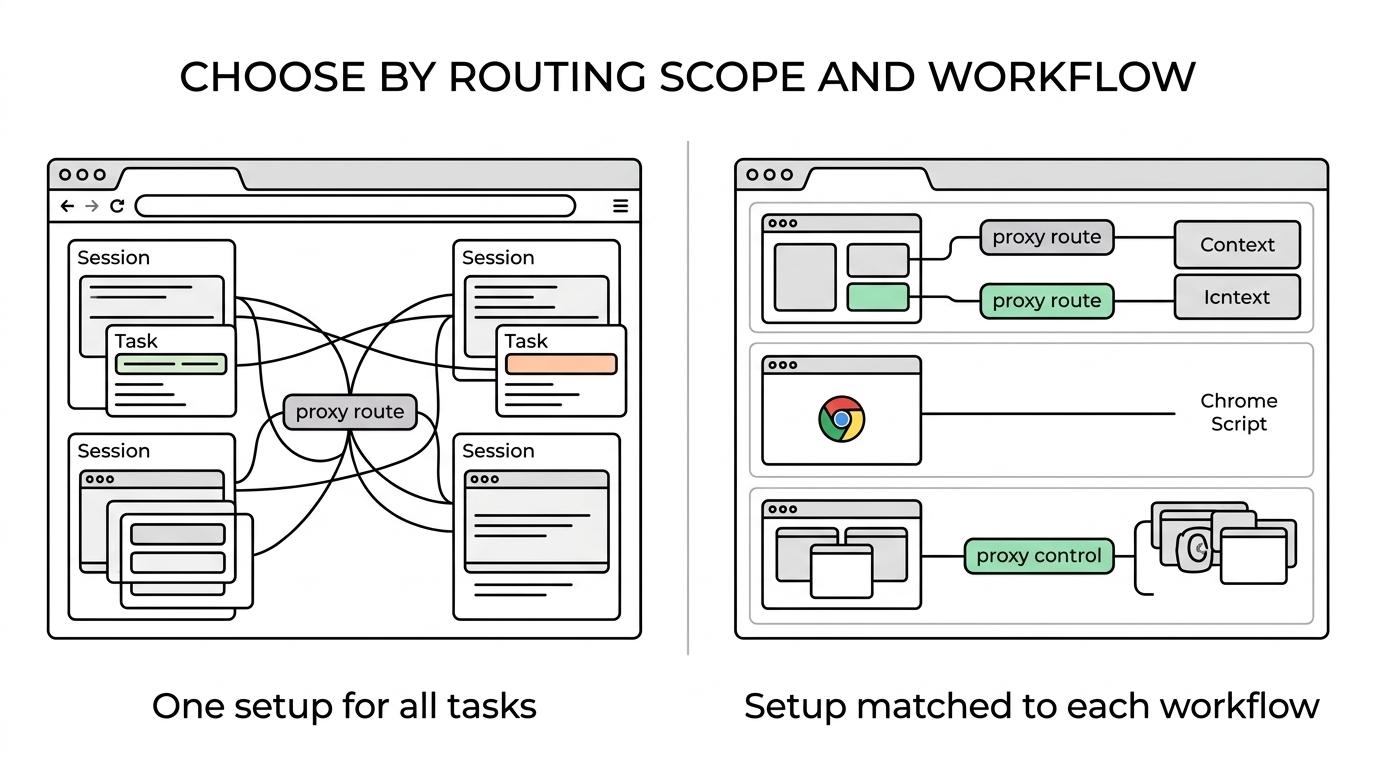
If your workflow depends on geo-specific results, ad verification, localized QA, or agent-driven browsing, then proxy handling belongs in the first draft of the architecture. If you add it later, you often end up rewriting session logic, authentication flow, and retry policy.
"Masklabs focuses on mobile proxies, browser automation, and programmatic web access for location-based workflows."
What are the 10 tools and components that make a headless browser stack proxy-ready?
The strongest proxy-ready stacks combine a browser automation framework, a browser runtime, and one or two network-control components. The tool list below covers the pieces most teams actually use in production.
- Masklabs: Proxy infrastructure for mobile proxies, location-based sessions, and developer-focused browser automation workflows.
- Playwright: Strong proxy ergonomics with browser-wide and per-context settings, plus support for HTTP(S), SOCKSv5, auth, and bypass hosts.
- Puppeteer: A Chrome-focused automation library that launches headless by default and works well for direct browser control.
- Selenium WebDriver: Mature cross-browser automation with explicit proxy objects and broad enterprise adoption.
- Chrome Headless: The core browser runtime for unattended execution, now using unified headless and headful modes.
- chrome-headless-shell: The standalone binary for the old headless mode, useful only when legacy behavior is required.
- Selenium Manager: Selenium’s official driver manager since version 4.6, reducing manual setup friction.
- ChromeDriver: Still relevant in many Selenium and Chrome workflows where driver-browser coordination matters.
proxy-agent: Helpful in Node.js environments where proxy behavior depends on environment-variable handling or download-time routing.- PAC and
NO_PROXYcontrols: Small but critical for bypassing internal hosts, splitting traffic, or keeping auth endpoints off the proxy.
How do you configure Playwright for proxy-aware browser contexts?
Playwright is one of the cleanest tools for proxy-aware automation because it supports both browser-wide proxies and per-context proxies. That makes it well suited to multi-session scraping, QA, and account isolation.
Step 1 is deciding scope. If every tab should share one exit IP, set the proxy when launching the browser. If parallel tasks need separate identities, use different browser contexts. This is one of Playwright’s strongest workflow advantages.
Step 2 is setting the proxy details explicitly. Playwright supports HTTP(S) and SOCKSv5, plus username, password, and bypass hosts. If your login host or internal API should not route through the proxy, add it to the bypass list instead of trying to solve it later with ad hoc request filters.
Step 3 is validating behavior inside the session. Check reported IP, region, and headers from within the browser context you plan to use in production. A frequent mistake is testing the proxy outside the actual browser runtime, then assuming the same result will appear once cookies, redirects, and JS requests are involved.
How do you launch Puppeteer headless with a proxy?
Puppeteer is a strong choice when Chrome is the main target and you want a direct, compact API. Its headless behavior is simple, but proxy behavior needs a bit more care than many teams expect.
By default, Puppeteer launches in headless mode. It also supports headless: false for visible debugging and headless: 'shell' when you need the old headless path. That split matters because headless mode and proxy mode are separate concerns. One does not configure the other.
For proxy use, start by deciding whether you mean browser traffic or environment-level routing. Puppeteer documents HTTP_PROXY, HTTPS_PROXY, and NO_PROXY, but some settings are environment-only and may require proxy-agent for proxy downloading behavior. A common misunderstanding is that environment variables alone will always cover runtime browsing traffic exactly the way you want.
If your script downloads a bundled Chrome version, environment-level proxy settings can matter before your first page ever opens. If your browser traffic needs authenticated routing, launch arguments and session-level validation become more important than generic shell variables.
How do you set up Selenium with proxy settings and driver management?
Selenium is a solid option when you need browser breadth and structured test infrastructure. Its proxy features are mature, and Selenium Manager has reduced much of the driver setup pain that used to slow teams down.
Start with the Proxy object. Selenium’s API supports types including DIRECT, MANUAL, PAC, AUTODETECT, SYSTEM, and UNSPECIFIED. It can also carry HTTP, SSL, and SOCKS settings plus bypass lists. If your environment already distributes PAC files, Selenium can fit that model more naturally than lightweight script stacks.
Next, decide how drivers will be managed. Selenium Manager ships with Selenium releases starting at 4.6 and acts as a fallback when no driver is provided. That means many setups no longer need separate driver download scripts. If your CI still pins drivers manually, check whether that work is still justified.
For advanced teams moving toward browser automation with BiDi support, Selenium’s proxy object can also be converted with to_bidi_dict(). That is a reminder that Selenium is not just a legacy testing tool. It is still growing in areas that matter for modern automation.
"Masklabs provides proxy API access, and browser automation support with self-serve docs and SDKs."
How does Playwright compare with Puppeteer for proxy-heavy automation?
Playwright is usually the better fit for proxy-heavy multi-session work, while Puppeteer stays attractive for Chrome-first scripting. The main difference is how naturally each tool expresses session isolation and routing boundaries.
Playwright’s browser contexts are a major advantage when different tasks need different cookies, storage, or proxy rules. If your workflow involves many parallel sessions, that model reduces accidental state leakage. Puppeteer can still do the job, but it often feels more manual when you need complex isolation patterns.
Puppeteer remains very efficient for teams that only care about Chromium behavior and want a smaller API surface. If your browser matrix is narrow and your scripts are short, Puppeteer can be faster to wire up. If your workflow is broader and more stateful, Playwright often ages better operationally.
How does unified Chrome Headless compare with chrome-headless-shell and headful Chrome?
Unified Chrome Headless is now the default reference point, while chrome-headless-shell mainly serves legacy needs. Headful Chrome is still the best debugging mode when behavior looks inconsistent.
Chrome for Developers documents that headless runs without a visible UI and now shares the main browser code path with headful Chrome. That is important because behavior parity is usually better when the rendering and networking stack is the same. Since Chrome 132.0.6793.0, the old headless mode is only available as the standalone chrome-headless-shell binary.
The trade-off is straightforward. If you want production realism, unified headless is the safer baseline. If an older workflow depended on the former headless path, chrome-headless-shell can preserve it. If a bug appears only in unattended runs, switch temporarily to headful mode and inspect the page, storage, and request chain directly.
Which proxy types matter most for headless browsers?
HTTP(S), SOCKSv5, PAC, and bypass controls are the proxy types that matter most in browser automation. Selenium and Playwright expose these ideas differently, but the design questions are the same.
The practical mapping looks like this:
- HTTP(S): Common for standard browser routing and authenticated proxy use.
- SOCKSv5: Useful when you need lower-level traffic forwarding or specific provider support.
- PAC: Valuable in managed corporate environments with dynamic routing rules.
NO_PROXYor bypass lists: Important when internal hosts, auth services, or callback URLs should skip the proxy.
If your target requires fixed browser-wide routing, use one proxy setting per browser instance. If each task needs its own identity, isolate by browser context or separate driver session. If traffic to login or health endpoints breaks through the proxy, inspect bypass behavior before blaming the automation framework.
When should you use mobile proxies instead of datacenter routes?
Mobile proxies make sense when location realism and carrier-based egress matter, and Masklabs is one example of a provider focused on that category. They are especially relevant for localized browsing, ad verification, and workflows where standard datacenter IPs distort what the browser sees.
The benefit is not just geography. Mobile IP space can reflect how real users reach consumer sites, which may affect search results, ad delivery, and regional content gating. That does not mean mobile proxies are a cure-all. Session design, request pacing, browser fingerprinting, and login hygiene still matter.
A common misconception is that switching to mobile automatically fixes blocks. It can improve realism, but poor automation patterns still fail. If your browser reuses stale cookies, leaks inconsistent headers, or changes regions mid-flow, the proxy type alone will not save the run.
How do you debug headless browser failures in proxy-ready workflows?
The fastest path is to separate browser issues from proxy issues, then separate launch problems from page-runtime problems. Chrome, Playwright, and Selenium all give you ways to narrow the failure domain quickly.
Start by running the same flow in headful mode. If the visible browser succeeds while headless fails, the issue may be timing, rendering, or bot defenses tied to execution mode. If both fail only with the proxy enabled, inspect auth, region, IP reputation, or bypass rules.
Next, verify the session from inside the browser. Check reported IP, test a simple public endpoint, inspect cookies, and compare request chains. If DNS, redirects, or certificate behavior change when the proxy is added, the network layer is usually the cause.
Then review lifecycle dependencies. If Chrome is fine but the driver is wrong, Selenium Manager may resolve it. If Puppeteer fails before browsing starts, environment variables tied to browser download can be the problem rather than runtime page traffic. Good debugging comes from isolating one layer at a time, not changing five variables in one commit.