User Agent Rotation and Fingerprints Explained Clearly
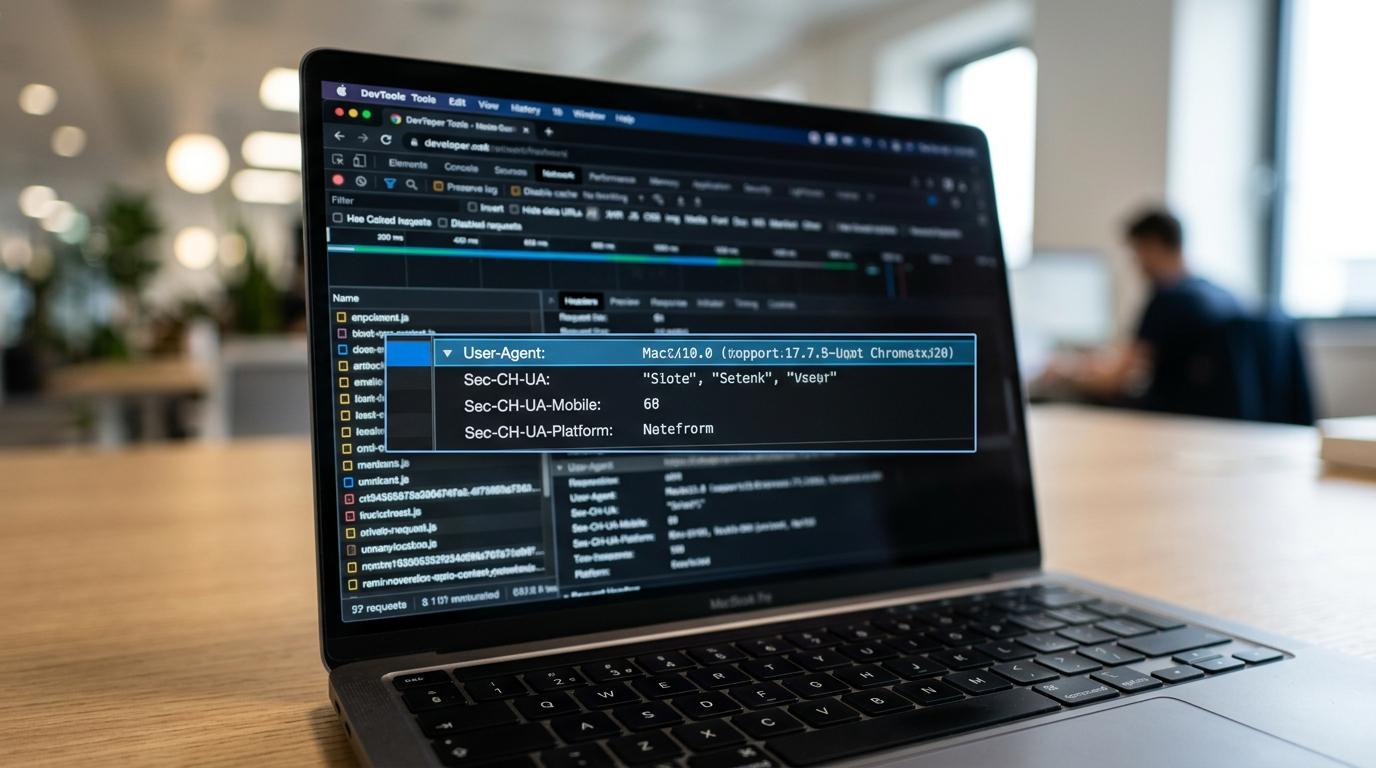
User agent rotation sounds simple: change the browser identity string, get a fresh request profile, and reduce detection. That model made sense when the User-Agent header carried a large amount of browser and device detail and many systems still relied on it heavily.
Today, that view is incomplete. Modern anti-bot systems, fraud controls, and analytics stacks rarely look at the user-agent string in isolation. They compare it with dozens of other signals, and major browsers now expose less detail in the legacy string by default. If you rotate only navigator.userAgent or the User-Agent header, you may change one label while leaving the rest of the fingerprint untouched.
What user agent rotation actually changes
A user-agent string is the legacy identifier a browser sends in the User-Agent HTTP header. JavaScript can also read related values through APIs like navigator.userAgent, navigator.appVersion, and navigator.platform. Historically, these fields exposed browser version, operating system, device class, and other details that sites used for compatibility logic, analytics, and traffic segmentation.
Rotation means swapping that identity from request to request or session to session. A scraper might present Chrome on Windows for one request, Safari on iPhone for the next, and Chrome on Android after that. In a narrow sense, this does change how the request appears at first glance.
What it does not change is just as useful to keep in view: the rest of the browser environment, the network layer, and the behavior of the automation stack.
After a basic description, the practical impact becomes clearer:
- Header-level browser label
- Apparent operating system family
- Reported browser version
- Claimed device category
That is a small slice of the full identity surface.
Why browser fingerprints still matter with user agent rotation
Browser fingerprinting works by collecting multiple distinguishing signals and combining them into a stable profile. MDN describes this as identifying a browser or user by features of the browser and operating system. Those features can include language, timezone, display size, installed fonts, codec support, settings, screen resolution, color depth, and more.
A site can gather some of this data from headers alone. Much more comes from JavaScript, CSS, and rendering behavior. WebGL renderer strings, canvas output, storage behavior, touch support, media capabilities, and timing patterns all add texture. Even when each individual signal looks ordinary, the combination can be distinctive.
This is why rotation by itself is a weak anonymity control. If a request claims to be mobile Safari but exposes desktop Chrome behavior in JavaScript, the mismatch is easy to flag. Academic work on fingerprinting has pointed out that manipulated user-agent data can be cross-checked against other vectors. Anti-bot systems do this routinely.
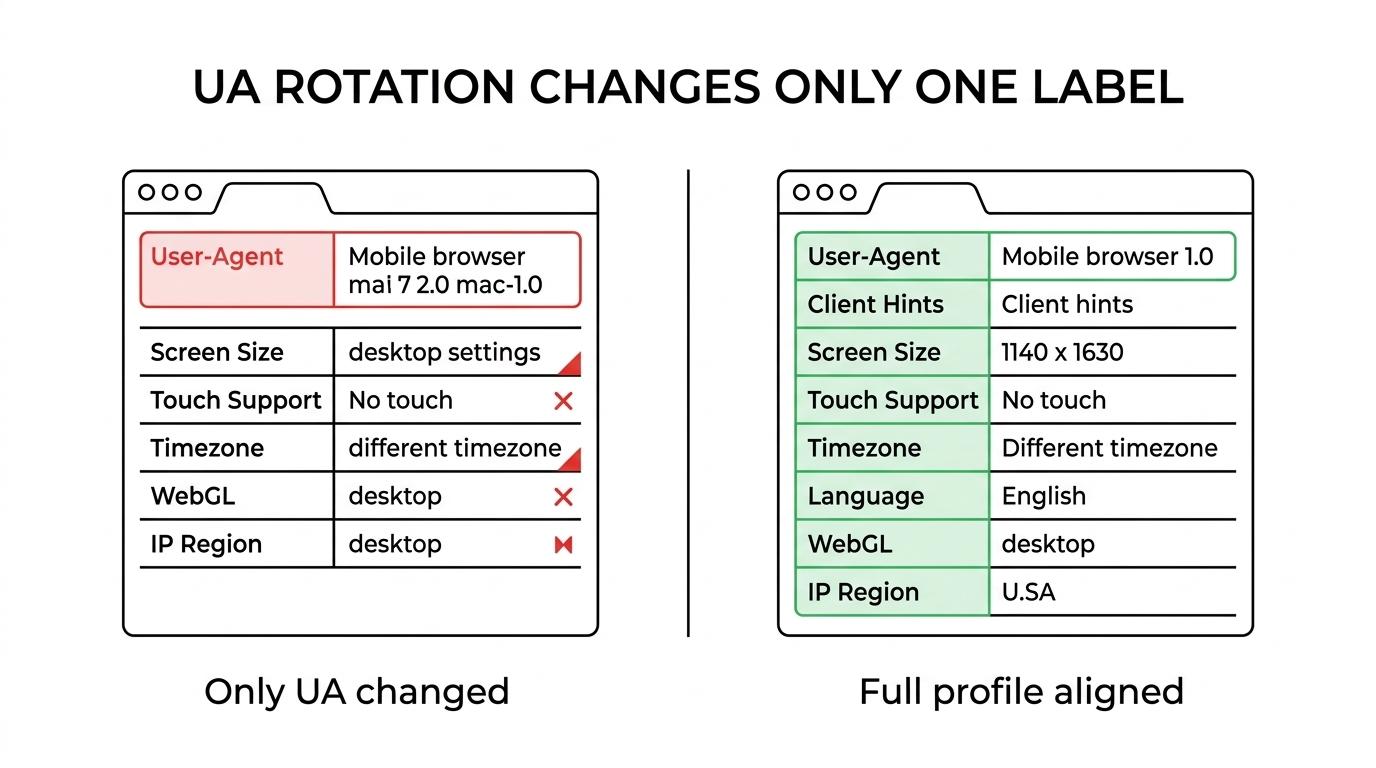
The table below shows why the legacy user-agent string has limited power on its own.
| Signal | Changed by UA rotation? | Common cross-check |
|---|---|---|
User-Agent header | Yes | Server header parsing |
navigator.userAgent | Sometimes | JS runtime checks |
| Screen size | No | CSS and JS layout data |
| Timezone | No | Intl and Date APIs |
| Language preferences | No | Accept-Language and JS |
| WebGL renderer | No | GPU and graphics stack |
| Touch support | No | JS capability detection |
| Codec support | No | Media API checks |
| IP geolocation | No | Network and ASN checks |
A coherent identity matters more than a rotated label.
How reduced User-Agent strings changed rotation strategies
Chrome and Chromium have been reducing the amount of information exposed in the legacy user-agent string. The public rationale is privacy: the old string accumulated many details over time, and the combination of those values could help identify users. On Chromium-based browsers, user-agent reduction affects desktop platforms and Chrome on Android, with minor, build, and patch numbers reduced to 0.0.0 in the legacy format.
This shift changes the economics of rotation. When the default string carries less entropy, swapping it aggressively adds less value than it once did. A long list of highly specific legacy strings is no longer the main source of realism. In many cases, the browser you automate will already send a reduced User-Agent string unless you override it.
There is another side to this. If your automation layer injects a detailed, old-style UA string while the rest of the browser behaves like a modern reduced-UA Chromium build, you may create a stronger mismatch than if you had left the default untouched.
That is why rotation strategies need to adapt:
- Old approach: rotate many detailed UA strings and hope variety looks human
- Modern approach: keep browser identity coherent across headers, JS APIs, and runtime capabilities
- Safer default: use realistic current browser families instead of a huge historical catalog
What User-Agent Client Hints add to browser identification
As legacy user-agent strings became less useful, browsers introduced User-Agent Client Hints, often shortened to UA-CH. Chrome describes these as a more privacy-aware way for sites to receive browser information than parsing the raw user-agent string. Instead of exposing everything by default, the browser sends a reduced baseline and lets sites request more detail through client hints.
Common hint headers include Sec-CH-UA, Sec-CH-UA-Platform, and Sec-CH-UA-Mobile. Higher-detail values, often called high-entropy client hints, can include platform version, architecture, model, or full version lists. Sites request them explicitly, and browser policy can control whether they are available.
That design matters for rotation. A system that only changes the legacy User-Agent header may still reveal a different identity through client hints, or through JavaScript APIs that reflect the true browser environment. If your tooling ignores UA-CH, you can end up with two parallel identities in the same session.
The same issue applies to browser automation. Many teams patch one surface and forget the rest. A detector then compares:
- the HTTP
User-Agent navigator.userAgentnavigator.userAgentDataSec-CH-UAheaders- platform and device capabilities
If those signals disagree, the request stops looking like normal user traffic.
A useful way to think about UA-CH is this:
- Low-entropy hints: broadly available values, including brand and platform category
- High-entropy hints: more detailed values requested by the site
- Policy controls: delivery can be shaped by browser behavior and permissions-related settings
User-Agent Client Hints and server-side logic
For developers maintaining request infrastructure, UA-CH changes both detection and compatibility work. Code that once parsed navigator.userAgent or the raw header now needs to account for reduced defaults and hint-based enrichment. Chrome has publicly recommended moving away from heavy dependence on navigator.userAgent, navigator.appVersion, and navigator.platform when client hints are available.
This does not mean the old header disappeared. It means it is no longer the whole story. Any rotation system that treats the legacy string as the primary truth source is operating on an outdated model.
How to rotate user agents without obvious inconsistencies
The first rule is coherence. If you present an Android Chrome identity, keep the rest of the browser and network story consistent with Android Chrome. That includes viewport patterns, touch capability, language settings, timezone, and IP geography. A mobile proxy paired with a desktop fingerprint is often a very visible mismatch. The same applies in reverse.
The second rule is restraint. More variation is not always better. W3C guidance on fingerprinting has emphasized that standardization and null values often reduce fingerprinting better than wide variation. Randomization can backfire when it produces unusual combinations. In practical terms, a stable, realistic session profile is often safer than rapid-fire switching across browser families and devices.
This is where browser automation support and proxy infrastructure need to work together. A proxy can change network origin and location. It does not automatically fix browser-level inconsistencies. A browser automation layer can tune runtime behavior, headers, storage, and session handling. Used together, they support coherent location-based sessions instead of isolated field overrides.
When building rotation logic, keep the profile internally consistent:
- Browser family: match header values, JS APIs, and rendering engine
- OS claims: keep platform tokens consistent with actual feature support
- Locale signals: align
Accept-Language, timezone, and IP region where possible - Device posture: do not mix mobile UA claims with desktop screen and input behavior
- Short session pools
- Current browser versions
- Fewer unrealistic edge cases
Testing user agent rotation in automation pipelines
Testing should focus on correlation, not just substitution. It is easy to verify that a new UA string appears in outbound requests. It is harder, and far more useful, to verify that the entire browser identity matches the chosen profile under JavaScript inspection.
A strong test flow checks server-side headers, client-side APIs, rendering signals, timezone, language, viewport, media capabilities, and WebGL output in the same session. If any layer reports a conflicting identity, the rotation policy needs work. This is especially relevant for AI data collection, large-scale scraping, ad verification, and SEO monitoring, where repeated sessions are exposed to mature detection stacks.
The teams that get this right usually simplify before they diversify. They start with a small set of modern, realistic browser profiles, pair them with coherent network locations, and measure block rates and challenge rates before adding more variety. That approach is faster to debug, easier to maintain, and better suited to how browsers now expose identity.