Engineers: Reliable Automated Browsing and Scraping from $30
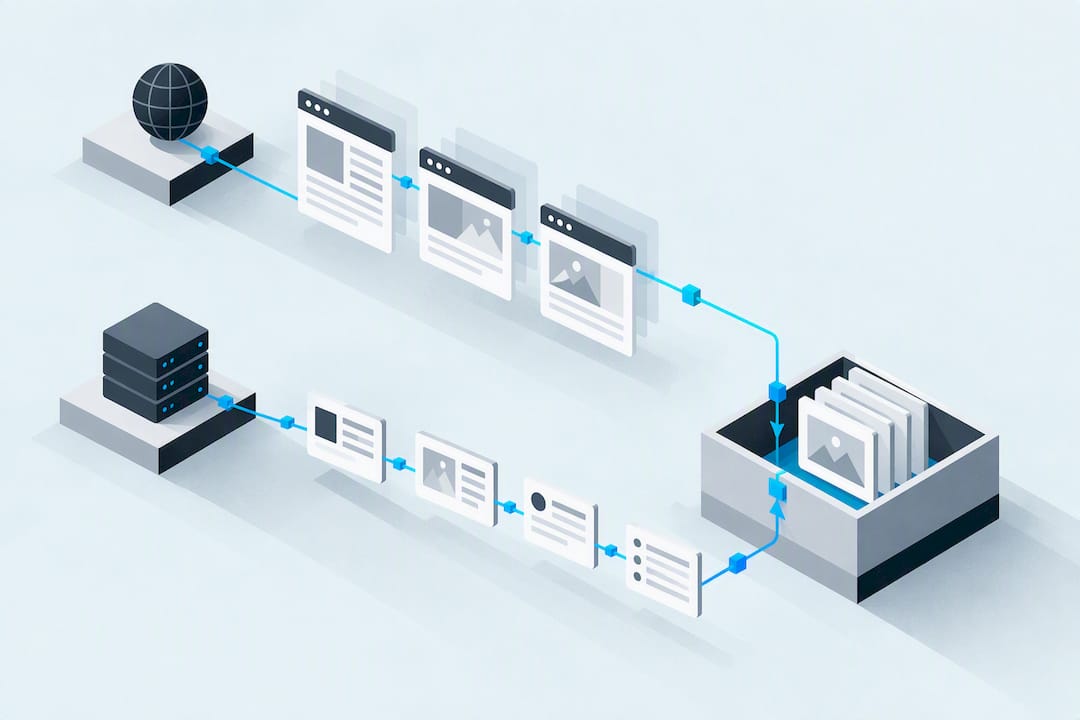
For reliable automated browsing and scraping at scale, pair a modern browser automation runtime, whether Playwright, Puppeteer, or Selenium, with a proxy layer built on rotating or sticky mobile IPs, then harden the whole stack against fingerprinting and rate limits. Skip any one piece and you trade speed for fragility: fast setups without proxy diversity get blocked, and heavily hardened setups without the right runtime waste compute on pages that don't need a browser at all.
TL;DR:
- Rotating or sticky mobile IP proxies are essential for avoiding bans when scaling automated browsing, especially beyond local IP ranges.
- Browser automation tools like Playwright, Puppeteer, and Selenium each suit different tasks, with Playwright offering context isolation and multi-browser support for reliable long runs.
- Mobile carrier IPs provide better detection resistance than datacenter IPs, especially when city-level geotargeting is required, and should be prioritized for high-profile or guarded sites.
- Layer detection signals such as header inconsistencies, TLS fingerprints, and mouse behavior guide escalation, with CAPTCHA solving as a last resort to prevent excessive costs and delays.
- Managing retries, session continuity, and monitoring key failure metrics help maintain scaling reliability for long-running scraping jobs.
Table of Contents
- What Automated Browsing vs HTTP Scraping Means for a Technical User
- Tooling and Runtime Choices: Playwright, Puppeteer, Selenium, and Scrapy
- Network Strategy: Proxies, Rotation, and Geotargeting
- How Do Sites Detect and Block Automated Browsing?
- Scaling and Reliability for Long-Running Jobs
- How to Wire a Browser Runtime to a Remote Proxy
- What We've Learned Building Mobile Proxy Infrastructure
- MaskLabs: Mobile Proxies Built for Automated Browsing Workloads
- Sources
- FAQ
What Automated Browsing vs HTTP Scraping Means for a Technical User
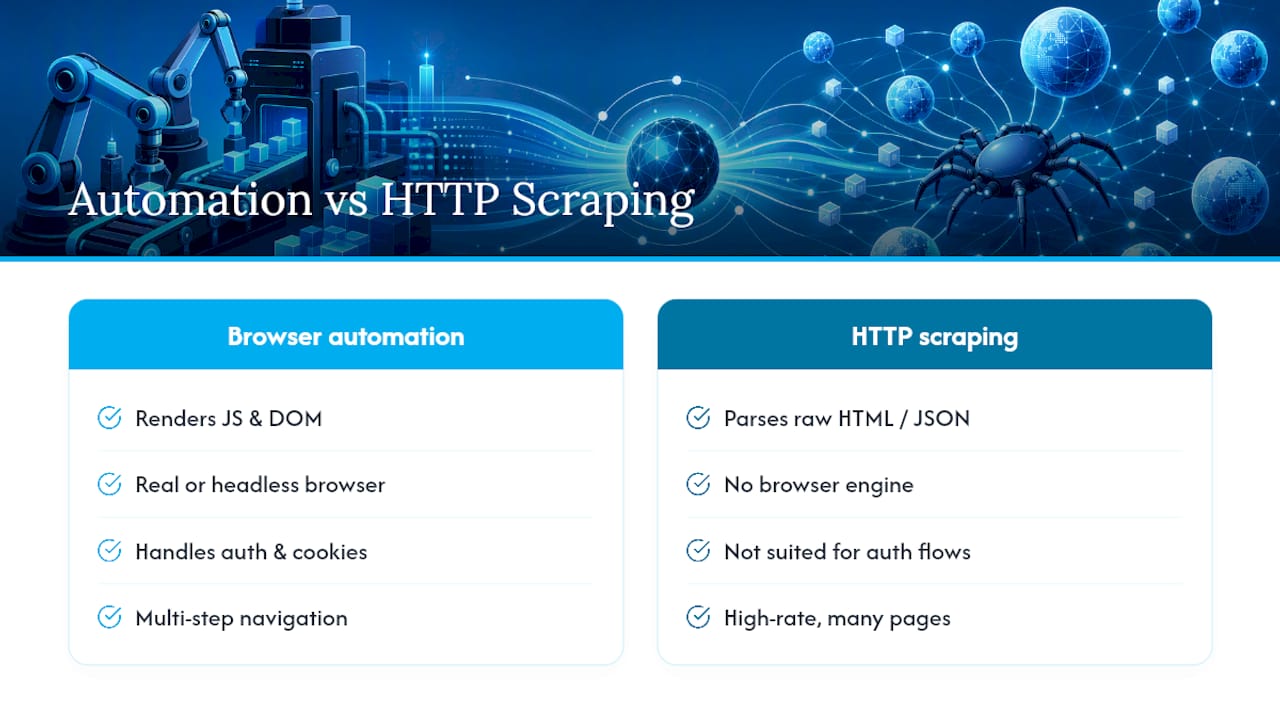
Browser automation drives a real (or headless) browser instance to click, scroll, wait for JavaScript, and render pages the way a person would. HTTP scraping skips the browser entirely and fetches raw responses, then parses HTML or JSON directly. The right choice depends on what the target site actually does.
Run a quick mental checklist before you write a line of code: Does the page require JavaScript to render content, or does the initial HTML already contain the data? Does the flow need a login, cookies, or multi-step navigation? Is the target a single page or thousands of pages hit per minute?
HTTP scraping with something like Scrapy is dramatically cheaper. It skips a rendering engine, so CPU and memory stay low and requests finish in milliseconds. Browser automation costs more, often 5 to 10 times the compute per page, and managed cloud browsers bill for session time on top of bandwidth. Reserve full browser automation for sites that genuinely need it: single-page apps, infinite scroll, or anything gated behind an authenticated session.
Tooling and Runtime Choices: Playwright, Puppeteer, Selenium, and Scrapy
Each tool solves a different part of the problem, and picking the wrong one for the job creates avoidable friction.
- Playwright automates Chromium, Firefox, and WebKit from one API, with context isolation and auto-waiting that cuts down on flaky steps during long parallel runs, according to the Playwright documentation.
- Puppeteer talks to Chrome and Firefox directly over the Chrome DevTools Protocol, which makes it a strong fit for screenshotting, PDF generation, and fine-grained UI interaction, per Chrome for Developers.
- Selenium implements the W3C WebDriver specification, giving you the widest cross-browser driver ecosystem and the deepest institutional tooling around it, as documented at Selenium's own docs.
- Scrapy skips the browser layer entirely for high-throughput HTTP scraping when pages don't need client-side rendering.
Managed cloud browsers and Browser APIs, the kind Browserless and Spider both expose, matter once you need to scale past what a local machine can hold in memory, or once CAPTCHA and proxy orchestration become a full-time problem rather than an edge case.
Pro Tip: Connect to a remote browser over CDP or WebDriver instead of spawning local Chrome instances on your scraping server. It keeps your worker processes lightweight and lets the browser pool scale independently of your application logic.
Network Strategy: Proxies, Rotation, and Geotargeting
Your browser runtime handles rendering. Your proxy layer determines whether the site ever lets you see the page at all. Datacenter IPs are cheap and fast, but they cluster in ranges that most anti-bot systems already flag. Mobile carrier IPs sit on the same infrastructure as everyday phone traffic, which is why they trigger far fewer automatic blocks on sites that specifically watch for datacenter ranges.
Rotation and pinning solve different problems, and mixing them up costs you sessions:
- Rotate proxies when you're crawling breadth, hitting many distinct pages or domains where each request is independent.
- Pin a sticky session when you're inside a login flow, a multi-step checkout, or anything where the site expects the same IP across sequential requests.
- Switch back to rotation once the authenticated task completes, so you're not burning a single IP's reputation on high-volume follow-up requests.
Before you scale a job, run through a short checklist: confirm the proxy supports the protocol you need (HTTP, HTTPS, or SOCKS5), check that your TLS fingerprint matches a real browser rather than a bare HTTP client, verify session health with periodic pings, and confirm the proxy pool actually covers the city or region your target requires.
Pro Tip: If a site geofences content by city rather than country, a generic residential proxy won't cut it. You need city-level targeting built into the proxy pool itself.
How Do Sites Detect and Block Automated Browsing?
Detection systems watch for a combination of signals, not just one red flag. Keep an eye on:
- IP reputation and whether the address belongs to a known datacenter range
- Missing or inconsistent headers (accept-language, user-agent mismatches)
- TLS and JA3 fingerprints that don't match the claimed browser
- Mouse movement, scroll behavior, and timing that look mechanically uniform
- Cookie and session continuity gaps between requests
A sane escalation flow starts with the cheapest option and only climbs when the page pushes back. Try a plain HTTP fetch first. If the response looks incomplete or you hit a block page, move to a headless browser. If that still gets flagged, layer in stealth techniques, real-browser TLS fingerprints, and residential or mobile IPs. Only reach for CAPTCHA-solving services as a last resort, since they add latency and cost that eat into your margins fast.
Reusing cookies and browser contexts across requests, instead of spinning up a fresh session every time, also reduces the "new visitor from nowhere" pattern that trips a lot of detection logic. Pair that with server-side rate limiting on your own end. It's easier to throttle yourself deliberately than to get throttled by someone else's block list, and our breakdown of common detection signals covers this in more depth.
Scaling and Reliability for Long-Running Jobs
A scraper that works for 100 requests and falls over at 100,000 usually fails on the same three things: retries, session management, and visibility into what's actually going wrong.
- Classify failures before you retry them. A timeout is not the same problem as a 403, and neither deserves the same backoff curve. Build exponential backoff for transient errors and stop retrying immediately on hard blocks that need a different IP or session entirely.
- Pool your browser sessions. Keeping a warm pool of contexts ready to go beats spinning up a new browser instance per job, but watch memory carefully. Chrome workers under sustained load leak memory fast if contexts aren't cleaned up between runs.
- Monitor the metrics that actually predict failure. Success rate, timeout frequency, and error-type distribution tell you a block is forming before your whole pipeline stalls. Set alerts on rate-of-change, not just absolute thresholds, since a slow degradation often signals a proxy pool going stale, a pattern covered in more detail in our piece on how rate limiting affects large-scale automation.
How to Wire a Browser Runtime to a Remote Proxy
Connecting Playwright or Puppeteer to a remote endpoint follows a predictable sequence: attach to the remote CDP or WebDriver endpoint, pass proxy credentials at browser launch (not per request), reuse any saved authentication state from a prior session, run your navigation and extraction logic, then close the context cleanly.
Before you ship the job, run through this checklist:
- Proxy URL and credentials are set at launch, not scattered across individual page calls
- Session pinning is explicit when the flow requires it, and turned off when it doesn't
- Timeouts are set per navigation step, not just globally
- Headers and TLS options match a real browser profile
- Every browser context and page closes in a
finallyblock, even on failure
Pro Tip: Store proxy credentials and session tokens outside your script, in environment variables or a secrets manager, since hardcoding them into scraping jobs is a common way credentials leak into version control. Teams running Selenium-based test suites against geo-targeted content can find a working pattern in our Selenium proxy integration guide, and Playwright users have a parallel walkthrough in our Playwright geo-testing notes.
What We've Learned Building Mobile Proxy Infrastructure
City-level geotargeting and sticky sessions matter because most blocking decisions happen at the network layer before your browser automation logic even runs. Real carrier IPs sidestep a category of detection that datacenter ranges can't avoid. Rate limits and bot signals shift constantly, and teams that treat scraping as a one-time build instead of an ongoing tuning process fall behind fast. Always confirm a target site's terms of service and applicable data laws in your jurisdiction before scaling collection.
— Jon
MaskLabs: Mobile Proxies Built for Automated Browsing Workloads
Every strategy in this guide, rotation, sticky sessions, geotargeting, hinges on having proxy infrastructure that doesn't fold under real anti-bot scrutiny. Masklabs runs on real US mobile carrier IPs instead of datacenter ranges, which is the exact detection vector this article just walked through avoiding.

That matters for automated browsing specifically because carrier IPs carry the same trust signals as a phone on a cellular network, not a server farm. Masklabs gives you both sticky and rotating sessions, city-level targeting across many US cities, and full HTTP, HTTPS, and SOCKS5 support, so the network-strategy checklist in this guide maps directly onto configuration options rather than workarounds.
If you're building or scaling a scraping pipeline, start with the Masklabs pricing page to compare the Starter, Basic, Advanced, and Scale tiers against your data volume, or check the main product page for integration details across Python, Node.js, Java, C#, and Rust environments.
Sources
FAQ
Is AI Web Scraping Legal?
Scraping publicly available data is generally legal in most jurisdictions, but legality depends heavily on what you scrape, how you access it, and the target site's terms of service. Wikipedia's overview of web scraping outlines the common legal and ethical gray areas, including copyright, personal data, and computer-access laws that vary by country. Always check the specific site's terms and any applicable data protection law before automating collection.
How Can I Automate Web Scraping?
Pick a runtime based on whether the target renders content client-side: use Playwright, Puppeteer, or Selenium for JavaScript-heavy pages, or a lightweight tool like Scrapy for static HTML. Layer in a proxy strategy, rotating or sticky depending on the flow, and build retry logic with backoff so transient failures don't crash the job.
Is Web Scraping Legal or Illegal?
Neither label fits universally. Scraping publicly accessible data is broadly permitted, but scraping behind a login wall, ignoring a site's terms of service, or collecting personal data without a legal basis can cross into liability depending on jurisdiction. Treat it case by case rather than assuming a blanket answer.
Is BeautifulSoup Illegal?
No, BeautifulSoup is simply a Python library for parsing HTML and XML. It has no bearing on legality by itself. What matters is how the data was obtained and what you do with it, not which parsing tool processed it afterward.
What Does MaskLabs Cost for Scraping Projects?
Masklabs runs tiered plans starting at $30 per month for Starter, scaling up through Basic at $100, Advanced at $500, and Scale at $1000 per month, based on monthly data pool size. Full pricing details and add-on data options are listed on the pricing page.