Engineers: 5 Copy Paste curl Proxy Commands to Debug DNS
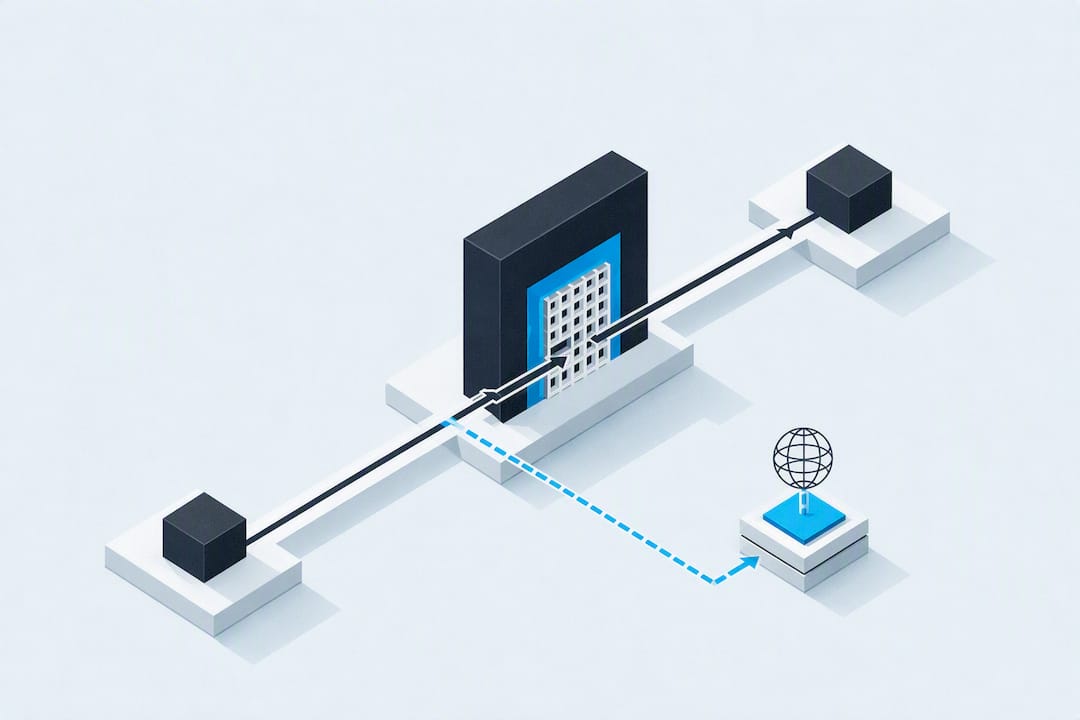
The core syntax is curl -x http://proxyhost:8080 http://example.com for HTTP, and the same flag handles HTTPS since curl opens a CONNECT tunnel automatically. For SOCKS, use curl -x socks5h://127.0.0.1:1080 http://example.com, where the h tells the proxy to resolve DNS instead of your machine. Environment variables like http_proxy work as a persistent shortcut, but any -x flag on the command line always wins.
TL;DR:
- Using
socks5h://allows the proxy to resolve DNS names, ensuring correct location targeting or access to geolocation-specific content.- Environment variables like
http_proxyare helpful for persistent proxy settings, but command-line-xflags always override them for individual requests.- Validating proxy support depends on the scheme: HTTP proxies handle full request data, while SOCKS proxies are protocol-agnostic and better for non-HTTP traffic.
- Troubleshooting proxy issues requires detailed verbose output (
-v) and checks for common errors like incorrect auth or proxy scheme mismatches.- Using mobile carrier IP proxies instead of datacenter IPs can significantly improve success rates for geolocation-sensitive or volume-intensive scraping tasks.
Table of Contents
- Quick Examples: Copy-Paste Curl Commands for Common Proxy Tasks
- Protocol Differences: HTTP vs HTTPS Tunnel vs SOCKS and DNS Resolution
- Environment Variables and Precedence: http_proxy, https_proxy, ALL_PROXY, NO_PROXY
- Authentication and Credentials: Safe Ways to Provide Proxy Auth
- Tunneling and Non-HTTP Protocols: Using --proxytunnel and Its Limits
- Diagnostics: Verbose Modes, Traces, and Common Proxy Errors
- Version and Build Notes That Change Proxy Capabilities
- Real-World Validation: How Mobile Proxies Affect Curl Tests
- Curl vs Programmatic Proxy Clients: Knowing When to Switch
- A Faster Path to Reliable Proxy Testing
- Where to Verify These Commands Yourself
- Sources
- FAQ
Quick Examples: Copy-Paste Curl Commands for Common Proxy Tasks
You don't need to memorize proxy syntax if you keep a short reference nearby, so here's the one worth bookmarking. Each example below covers a real scenario you'll hit during testing, scraping, or debugging a client's network setup.
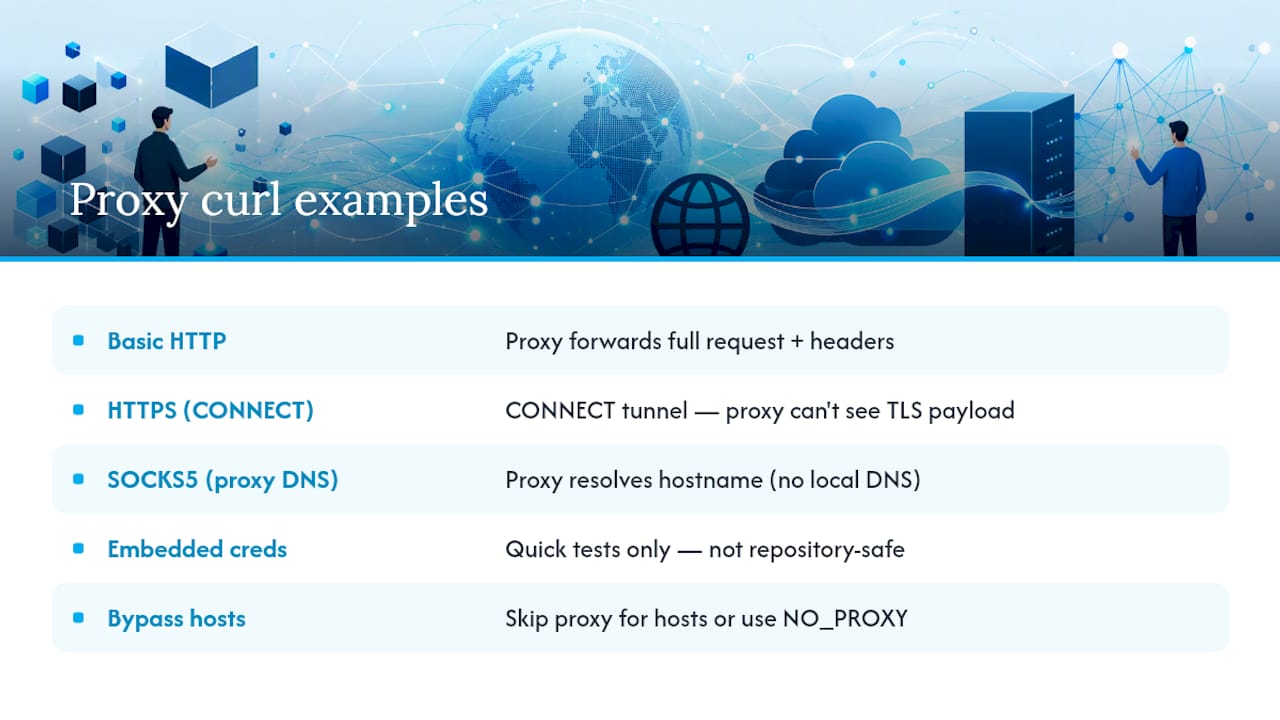
Basic HTTP proxy request:
curl -x http://proxy.example.com:8080 http://example.com
This routes the request through the proxy, which forwards your full HTTP request, headers included.
HTTPS through the same proxy:
curl -x http://proxy.example.com:8080 https://example.com
Curl automatically issues a CONNECT request to open a tunnel, and the proxy never sees your TLS payload or the path you're hitting, according to Everything.
SOCKS5 with proxy-side DNS resolution:
curl -x socks5h://127.0.0.1:1080 http://example.com
The socks5h:// scheme forces the proxy itself to resolve the hostname rather than leaking that lookup to your local resolver, per curl's own source documentation.
Embedded credentials for quick tests:
curl -x http://user:[email protected]:8080 http://example.com
Handy for a one-off terminal command, though you'll want a safer method for anything checked into a repository (more on that below).
Bypassing the proxy for specific hosts:
curl --noproxy example.com http://example.com
Or set it globally:
export NO_PROXY=example.com,localhost,127.0.0.1
Pro Tip: Keep a small shell function in your dotfiles that wraps these five patterns with named arguments. You'll type this exact set of flags more often than you think, and typing proxytest socks5h 1080 beats retyping the full string every time.
A detail worth flagging: curl supports http://, https://, socks4://, socks4a://, socks5://, and socks5h:// as proxy schemes, and choosing the wrong one is the single most common cause of "it works on my machine but not in CI," according to Apify's curl proxy guide.
Protocol Differences: HTTP vs HTTPS Tunnel vs SOCKS and DNS Resolution
Each proxy scheme handles your request differently under the hood, and understanding that difference is what separates someone who copies commands from someone who can debug a broken one.
An HTTP proxy receives your entire request, including the full URL and headers, and then relays it to the destination server on your behalf. When you run curl -x proxyhost:port, without a scheme prefix, curl treats it as HTTP by default.
HTTPS through an HTTP proxy works differently. Curl sends a CONNECT command to the proxy, asking it to open a raw tunnel to the destination on port 443. From that point forward, the proxy is just relaying encrypted bytes. It cannot read the request path, headers, or body, which is exactly why CONNECT exists.
SOCKS proxies operate at a lower level entirely. Instead of understanding HTTP semantics, a SOCKS4 or SOCKS5 proxy forwards raw socket traffic, which makes it protocol-agnostic. That's part of why SOCKS handles non-HTTP traffic more gracefully than an HTTP proxy ever will.
DNS resolution is where the schemes genuinely diverge:
socks5://resolves the hostname on your local machine, then sends the resulting IP to the proxy.socks5h://sends the hostname itself to the proxy and lets it resolve DNS on the proxy's side.- HTTP and HTTPS proxies always resolve on the proxy side by design, since the proxy needs the hostname to route the CONNECT or forward the request.
Use socks5h:// whenever you're testing geolocation-specific behavior or trying to reach a resource that only resolves correctly from the proxy's network. If your local DNS and the proxy's DNS view diverge, plain socks5:// will quietly send you to the wrong server, and that failure mode is brutal to diagnose after the fact.
Environment Variables and Precedence: http_proxy, https_proxy, ALL_PROXY, NO_PROXY
Setting a proxy for every curl call in a session beats typing -x fifty times a day. Curl reads a family of environment variables named after the scheme they apply to, and it checks them automatically on every invocation, per everything.curl.dev's proxy documentation.
Here's the practical setup:
- Set protocol-specific variables for granular control:
export http_proxy=http://proxy.example.com:8080 export https_proxy=http://proxy.example.com:8080 - Use ALL_PROXY as a catch-all when every protocol should route through the same proxy:
export ALL_PROXY=socks5h://127.0.0.1:1080 - Exclude specific hosts with a comma-separated list:
A wildcardexport NO_PROXY=example.com,internal.corp,localhost*inNO_PROXYbypasses the proxy for every host, which is useful for temporarily disabling proxying without unsetting the variable. - Override everything at the command line when you need a one-off exception:
Passing an empty string tocurl -x "" http://internal-service.local-xdisables the environment proxy for that single call.
One security detail trips up more engineers than it should: curl only honors the lowercase http_proxy variable. The uppercase HTTP_PROXY gets ignored specifically because CGI environments can populate that variable from an incoming Proxy: HTTP header, and honoring it would let a remote attacker redirect your outbound traffic, according to curl's own documentation.
Pro Tip: If you're debugging why a proxy setting seems to be ignored, run env | grep -i proxy first. Nine times out of ten, someone set HTTP_PROXY in uppercase, and curl is silently pretending it doesn't exist.
Remember the precedence order: command-line flags like -x or --proxy always override environment variables, no matter which shell profile set them.
Authentication and Credentials: Safe Ways to Provide Proxy Auth
Most proxy setups behind a corporate firewall or a paid service require credentials, and how you supply them matters more than most quick-start guides let on.
The fastest method embeds credentials directly in the proxy URL:
curl -x http://user:[email protected]:8080 http://example.com
It works, but it leaks. Anything you type on a command line typically lands in your shell history, and if that command ends up in a script committed to a shared repository, the password travels with it.
A cleaner separation uses --proxy-user:
curl -x http://proxy.example.com:8080 --proxy-user user:pass http://example.com
This keeps credentials out of the URL string itself, which matters for logging and process visibility (ps aux on a shared server shows full command lines to anyone with access).
For proxies that support multiple negotiation methods, --proxy-anyauth lets curl pick the strongest scheme the server offers rather than forcing you to guess:
- Basic auth sends credentials with light encoding, fine over an already-encrypted tunnel.
- Digest auth hashes credentials before sending, a step up for HTTP-only proxies.
- NTLM is common on Windows-domain corporate proxies, and curl supports it directly with
--proxy-ntlm.
For anything running in CI or a shared script, inject credentials through environment variables or a secrets manager instead of typing them inline. curl -x "$PROXY_URL" --proxy-user "$PROXY_USER:$PROXY_PASS" keeps the actual values out of version control entirely.
Tunneling and Non-HTTP Protocols: Using --proxytunnel and Its Limits
HTTP proxies were built with HTTP in mind, and when you point one at a non-HTTP protocol without telling curl to tunnel, things get strange fast.
By default, an HTTP proxy converts non-HTTP operations into HTTP requests to the proxy itself, which breaks protocol-specific features that don't map cleanly onto HTTP semantics, according to curl's command-line documentation. FTP is the classic example. Its control commands, directory listings, and active-mode data connections don't translate into an HTTP request the proxy understands.
The fix is --proxytunnel (short flag -p), which forces curl to open a raw tunnel through the proxy instead of relaying an HTTP-shaped request:
curl -p -x http://proxy.example.com:80 ftp://ftp.example.com/file.txt
With tunneling enabled, the proxy stops trying to interpret your traffic and just passes bytes through, the same way it does for HTTPS CONNECT.
One caveat worth knowing before you rely on this in production: active FTP mode, where the server opens a new connection back to your client, generally doesn't survive a proxy tunnel well, since the proxy has no path for that inbound connection. Passive FTP is the safer default when a proxy is involved anywhere in the chain.
Diagnostics: Verbose Modes, Traces, and Common Proxy Errors
When a proxy request fails, guessing wastes time. Pull the evidence first, then fix the actual cause.
- Start with
-vto see the full request and response cycle, including the CONNECT line for HTTPS:curl -v -x http://proxy:8080 https://example.com. You'll see exactly what curl sent and what came back. - Escalate to
--trace-ascii output.txtwhen-visn't enough. It logs the full byte stream to a file, which is invaluable when a proxy is silently mangling headers. - Read the status code carefully. A
407 Proxy Authentication Requiredmeans your credentials weren't accepted or weren't sent at all, not that the destination server rejected you. A hung or failed CONNECT often means the proxy is blocking that method outright. Some strict corporate proxies do exactly this, which breaks HTTPS tunneling entirely, per everything.curl.dev. - Confirm DNS behavior when results look geographically wrong. Compare a
socks5://run against asocks5h://run on the same target to see whether resolution is happening locally or on the proxy. - Check the network layer directly.
tcpdumporss -tnpconfirms whether the connection to the proxy is even establishing before you spend time debugging curl flags that were never the problem.
Pro Tip: When a proxy behaves inconsistently, run the same command five times in a row with -v piped to separate log files. Intermittent failures usually point to a rotating IP pool or a load-balanced proxy cluster, not a bug in your curl syntax.
Work through credentials, scheme, port, and any NO_PROXY entries in that order. It's the sequence that catches the most common mistakes first.
Version and Build Notes That Change Proxy Capabilities
Not every curl binary supports every proxy feature, and assuming yours does is a good way to lose an afternoon.
Run curl -V before anything else. The output lists the TLS backend (OpenSSL, GnuTLS, mbedTLS, or Rustls) along with supported protocols like HTTP/2 and HTTP/3. HTTPS proxy support specifically depends on which TLS backend your build was compiled against, according to curl's own build documentation. If you're troubleshooting why https://proxyhost:port doesn't work while http://proxyhost:port does, this is the first thing to check.
A few other build-dependent details worth confirming:
- The
https://scheme prefix for HTTPS-to-proxy connections is a newer addition, not universal across older curl versions still running on legacy servers. - Default proxy ports vary by convention. If you don't specify one, don't assume curl guesses correctly for every proxy type.
- IPv6 proxy addresses need bracket notation, like
[::1]:1080, to separate the address from the port cleanly.
If you're building with libcurl rather than shelling out to the CLI, CURLOPT_PROXY mirrors this behavior exactly, including the empty-string trick to disable environment proxies programmatically, per the libcurl reference.
Real-World Validation: How Mobile Proxies Affect Curl Tests
Testing with a datacenter IP and testing with a real mobile carrier IP produce noticeably different results, and the gap shows up the moment you're checking geolocation-sensitive content or hitting a target that fingerprints traffic patterns.
Carrier IPs come from actual mobile network allocations, which makes them behave like traffic from a real phone on a real network rather than a known hosting range. That distinction affects a few concrete things when you run curl against a target repeatedly:
- Geolocation-dependent responses (localized pricing, regional search results, city-specific listings) reflect the carrier's actual network location rather than a datacenter's registered address.
- Automated blocking triggers less often, since carrier ranges don't carry the same reputation flags that datacenter IP blocks accumulate over time.
- Sticky sessions matter when you're making repeated calls to the same API and need session continuity, while rotating sessions matter when you're sampling breadth across many targets.
Before running a large batch of curl tests against a proxy pool, it's worth confirming rotation intervals and latency behavior with a dedicated proxy checker tool rather than assuming the pool behaves the way its documentation claims.
Curl vs Programmatic Proxy Clients: Knowing When to Switch
Curl earns its place in the workflow for a specific reason: it's fast to run, easy to script into a CI pipeline, and perfect for confirming a proxy actually works before you build anything around it. I lean on it constantly for exactly that, quick sanity checks, not production infrastructure.
Where curl starts to strain is scale. Session persistence across thousands of requests, automatic retries on failed connections, and coordinated rotation across a large IP pool are all things a dedicated Go HTTP client proxy setup or a language-specific SDK handles far better than a shell loop wrapping curl calls. A Rust reqwest proxy configuration, for instance, gives you connection pooling and typed error handling that a bash script never will.
The right workflow uses both: verify behavior with curl's verbose output first, then move the validated logic into whatever client actually runs your production job.
— Jon
A Faster Path to Reliable Proxy Testing
If your curl tests keep failing against datacenter IP blocks, the fix usually isn't a better command, it's a better IP. Some mobile proxy providers run traffic through real carrier IP addresses across many US cities, which is a fundamentally different signal than the datacenter ranges most free and cheap proxy lists hand you.

That distinction matters most when you're scraping at volume, training AI models on geographically diverse data, or running geotargeted price checks where a flagged IP means silently wrong results instead of an obvious error. Many mobile proxy services include API access and support for HTTP, HTTPS, and SOCKS5, so the curl commands and integration patterns covered in this article carry over directly.
Start with the free trial on the Masklabs landing page and point your existing curl scripts at a mobile endpoint to see the difference in your own logs.
Where to Verify These Commands Yourself
Every syntax pattern in this piece traces back to curl's own documentation rather than a secondhand summary. The curl command-line proxy reference covers flag behavior in full detail, while everything.curl.dev's proxy and environment variable guides go deeper on environment precedence and security notes. Developers building programmatic clients should also bookmark the libcurl CURLOPT_PROXY documentation for parity with CLI behavior.
Sources
FAQ
How Do I Use a Proxy in a Curl Command?
Add -x or --proxy followed by the proxy's scheme, host, and port, like curl -x http://proxyhost:8080 http://example.com. Curl handles HTTPS through the same flag by opening a CONNECT tunnel automatically.
How Can I Use Curl With a Proxy That Requires a Password?
Use --proxy-user user:pass alongside -x, which keeps credentials separate from the proxy URL and out of process listings. For proxies offering multiple auth schemes, add --proxy-anyauth to let curl negotiate the strongest one available.
How Do I Set a Proxy From the Command Line Without Using -x Every Time?
Export http_proxy, https_proxy, or ALL_PROXY as environment variables in your shell session, and curl will use them on every call automatically. Any -x flag you add later still overrides those variables for that single command.
How Do I Use Basic Curl Commands With SOCKS5?
Set the scheme to socks5:// or socks5h:// in the proxy string, such as curl -x socks5h://127.0.0.1:1080 http://example.com. The h variant tells the proxy to resolve DNS itself, avoiding leaks of hostname lookups to your local resolver.
What Does the 407 Error Mean When Using a Curl Proxy Command?
A 407 status means the proxy rejected or never received valid authentication. Double-check that --proxy-user is set correctly and that the proxy actually supports the auth method curl is attempting.