Geo Rotation Proxies: How They Work and How to Use Them

A geo rotation proxy does two separate jobs at once: it changes the IP address your requests exit from, and it limits that IP to a place you choose, such as a country or a city. For data collection, the combination that holds up best is real mobile carrier IPs, targeted to the city you need, with rotating or sticky sessions chosen to match the task. That is how we built Masklabs: real US carrier IPs in 46 cities, with both rotating and sticky sessions on the same credentials.
This guide explains how the two controls differ, when to rotate and when to hold an IP, how accurate location really is, and how to verify what you get before you trust a dataset.
TL;DR
- Rotation and geotargeting are two independent controls: rotation decides how often the IP changes, geotargeting decides where the IP can come from.
- Use rotating sessions for many independent requests, and sticky sessions for anything that needs one consistent identity, such as a login, a cart or a paginated flow.
- A location setting is a request, not proof. Check the egress IP at startup and confirm the granularity (country, state or city) your provider actually supports.
- Mobile IPs are less likely to be throttled than datacenter ranges, which matters most for regional price checks, ad verification and local search tests.
- Legality depends on the data, the target and the jurisdiction. In the US, scraping public data is not a CFAA violation, but other laws still apply.
Table of Contents
- What a geo rotation proxy actually is
- Rotating, sticky and interval-based sessions
- How accurate is the location?
- Verify before you collect
- Where geo rotation proxies earn their keep
- Data-quality pitfalls to design around
- Is it legal to use geo rotation proxies?
- Our perspective
- Getting started with Masklabs
- FAQ
- Sources
What a geo rotation proxy actually is
A proxy sits between your script and the website. The site sees the proxy's IP address, not yours. A geo rotation proxy adds two behaviors to that basic idea:
- Rotation. The exit IP changes, either on every request or after a set period.
- Geographic targeting. The pool of IPs the provider can pick from is narrowed to a place you specify.
The two are independent. A practical guide on proxy rotation and geolocation makes the same point: rotation controls whether requests use changing or persistent IPs, while geolocation narrows the pool to a supported location. You can rotate inside one city, hold one IP in one city, or rotate across many cities. Treating them as one setting is the most common source of confusing results.
The type of IP matters too. Datacenter proxies come from hosting providers, and many sites treat those ranges with suspicion. Mobile proxies use IP addresses assigned by cellular carriers. Our requests go out on real carrier IPs rather than datacenter ranges, so the traffic looks like ordinary mobile users and is less likely to be blocked or throttled. For a more detailed look at the mobile side, see our explainer on mobile proxies and rotating versus sticky sessions.
Rotating, sticky and interval-based sessions
Most providers offer some version of three session behaviors. The names vary, but the logic is the same.
| Session type | What happens | Best for |
|---|---|---|
| Rotating (per request) | A new IP is assigned to each request | Large sets of independent pages: product listings, search result pages, public price pages |
| Sticky (held IP) | The same IP is kept for a window of time | Logins, carts, checkout simulations, paginated results, anything stateful |
| Timed rotation | The IP changes after a set interval | Long crawls that need some continuity but should not sit on one address |
The decision rule is simple. If the website does not need to remember you between requests, rotate. If the site keeps session state tied to an IP, hold the IP. Rotating in the middle of a login flow is a reliable way to get logged out or flagged, because the site sees one account appear from several addresses within seconds.
A second rule applies to volume. Spreading requests across many IPs lowers the request rate any single address produces, which is what rate limits look at. But rotation does not fix a bad request pattern. Identical headers, no delays and perfectly regular timing still look automated. We cover how to plan this in Rotating IP Strategy: How to Plan Rotation That Holds Up.
A worked example
Suppose you track the shelf price of one product at a national retailer across five cities. A reasonable setup:
- Use a sticky session per city for the whole price check, so the store-selection step, the ZIP code entry and the product page load all come from one IP.
- Use rotating sessions when you then sweep hundreds of product pages in that city, because those requests are independent.
- Log the city you requested and the egress IP you received for each run, so any odd price can be traced back to the connection that produced it.
That is two session modes in one project, which is why we offer both under one set of credentials.
How accurate is the location?
This is where careful teams separate themselves from careless ones. A location parameter tells the provider where you want to appear. It does not guarantee that every website agrees you are there.
The reason is that websites do not know your physical location. They look your IP up in a geolocation database and trust the answer. Those databases are estimates, and they vary in quality. A GPS-based study of consumer connections by Saxon and Feamster found that IP geolocation databases are more accurate on fixed-line than on mobile networks, that paid database versions were often not significantly more accurate than free ones, and that relying on them to understand internet access in dense cities is premature. Median accuracy was better than 3 km for fixed-line connections in New York City, but the researchers did not extend that figure to mobile.
For a data team, the practical consequences are:
- Different databases disagree. One site may place an IP in your target city while another places it in a neighboring metro area. The same address can produce different content on different targets.
- City is not the same as country. Do not equate a country option with city, state or postal-code targeting. Confirm the granularity, the parameter syntax and the pool size for the exact product, because credential syntax and ports are product-specific.
- A successful request proves nothing about location. A 200 response means the page loaded. It does not mean the site served you the local version.
- Mobile IPs move. Carrier networks reassign addresses, so a location lookup is a snapshot, not a permanent fact about the connection.
This is why city-level coverage is a useful feature when the work depends on it. We offer carrier IPs in 46 US cities, which lets you target at city level rather than only by country or state. Even so, the discipline is the same for any setup: verify, then collect.
Verify before you collect
A scraper that assumes its configuration worked will silently produce wrong data. Production guidance on geographic targeting recommends adding a verification call at scraper startup against an IP-information endpoint and asserting that the egress country matches the configured one. It also notes that a setting like a named city can still route to a national IP instead of a city-specific one.
A lightweight routine for each job:
- Confirm the egress IP. At startup, request an IP-information endpoint through the proxy and store the returned IP, region and city.
- Assert, don't log. If the returned location does not match the target, stop the job instead of writing a warning nobody reads.
- Check the target separately. A lookup that agrees with your request does not mean the site classifies the address the same way. When the lookup says one thing and the site behaves as if you were elsewhere, you are looking at a classification difference between databases, not a broken proxy. Compare a known local-only element on the page, such as a store locator default, a currency, or a regional banner.
- Sample across the run. Re-check every N requests or on each new session, since IPs can change under rotation.
- Keep a record. Store the requested city, the observed city and the timestamp next to each batch of data.
We wrote up the method in more depth in Three Checks for Engineers Verifying Geotargeted Proxies on Mobile IPs, and for a quantitative approach see Build a 0–100 Score to Verify Proxy Geolocation. If you drive a real browser, location also involves browser-level signals such as the geolocation API, time zone and language, covered in Browser Geolocation Proxies: How to Set Location Right.
Where geo rotation proxies earn their keep
Regional price comparison
Retailers, travel sites and marketplaces often show different prices, stock or delivery options by location. To compare, you need to appear local in each market and hold the session long enough to complete the flow. City-level targeting with sticky sessions per location, then rotation for the product sweep, covers both needs.

Geo-targeted traffic and ad analysis
Marketers use location-specific IPs to see the ads, search results and landing pages a user in a given city would see. Geotargeting is a lever on the advertiser side as well, and the logic of local audiences is explained well in this piece on geo-targeting in e-commerce advertising. For ad verification and local search testing, the check you need is that the page you captured was served for the intended city, which is what the verification routine above gives you.
Scraping and AI training data
For large collection jobs, the goal is consistent access to public pages at volume without being throttled. Mobile carrier IPs and sensible rotation reduce blocks, and city targeting keeps regional datasets balanced rather than skewed toward one metro area. If you drive Puppeteer, see Puppeteer Proxy Rotation Using Mobile IPs in 46 US Cities for a working setup. When the problem is content that is simply unavailable from the wrong location, 46 City Mobile IPs to Bypass Geo Blocks for Reliable Scraping goes through the approach.
Research with reliable browsing data
Researchers care less about speed and more about reproducibility. Record the location settings, session type, egress IP and time of each capture. A dataset with that metadata can be audited. One without it cannot.
Data-quality pitfalls to design around
- Mixed identity. Rotating inside a stateful flow corrupts sessions. Use sticky sessions there.
- Location drift. If you rotate across a wide area, some results may come from a neighboring region. Set the narrowest granularity the task needs.
- Personalization noise. Cookies and logged-in state can change content more than location does. Use clean browser profiles per location.
- Time effects. Prices and rankings move through the day. Compare locations at the same time, not sequentially over hours.
- Silent failures. Blocks sometimes return a 200 page with a challenge or a default version. Validate page content, not only status codes.
Is it legal to use geo rotation proxies?
The proxy is a tool. Whether a project is lawful depends on what you collect, from where, and how. For readers in the US, a 2026 Washington & Lee Law Review Online article explains that after Van Buren v. United States (2021) and hiQ Labs v. LinkedIn (9th Cir. 2022), the Computer Fraud and Abuse Act's "without authorization" clause does not reach publicly available data, so scraping public pages is not a CFAA violation. It also says the law's application to access behind login walls or after access is revoked remains unsettled, and that the CFAA is only one of many laws that may apply.
In practice that means three questions before any project: Is the data public? Does it contain personal data? Which jurisdictions' privacy rules apply to the people in it? If your data covers EU residents, GDPR is likely in play. Our guides cover the details: US, EU, UK Web Scraping Rules for 2026 and GDPR and Web Scraping: What US Teams Need to Know. For a project that touches personal data or login-gated content, talk to a lawyer before you build.

For teams planning collection across several countries rather than US cities, Country Rotation Strategy for Geo-Targeted Data Collection covers how to structure it.
Our perspective
Most failed geo-targeted projects we hear described did not fail because of the proxy count. They failed because the team treated location as a setting instead of a measurement.
Our view is that the right design starts from the data you need. If a regional price or a local search result is the product, you want real carrier IPs, targeted at the city where your customer lives, with session behavior you choose per task. That is why we run real US mobile carrier IPs across 46 cities and let you switch between sticky and rotating sessions on the same credentials.
We also think the setup should not be a project in itself. Credentials are self-serve, a usage dashboard shows what you consume, and billing is metered per byte, so a small team can start the same afternoon without a sales call or a long-term commitment. Pair that with an egress check at the start of every job and you get data you can defend.
Jon
Getting started with Masklabs
Masklabs gives developers, data scientists and research teams real US mobile carrier IPs in 46 cities, with rotating and sticky sessions, HTTP, HTTPS and SOCKS5 support, API access, and team credential management. Integration works across Python, Node.js, Java, C#, Rust and browser automation. Plans are subscriptions sized by monthly data pool: Starter at $30 per month, Basic at $100, Advanced at $500 and Scale at $1,000, with prepaid data add-ons billed per GB and a free trial with limited data.
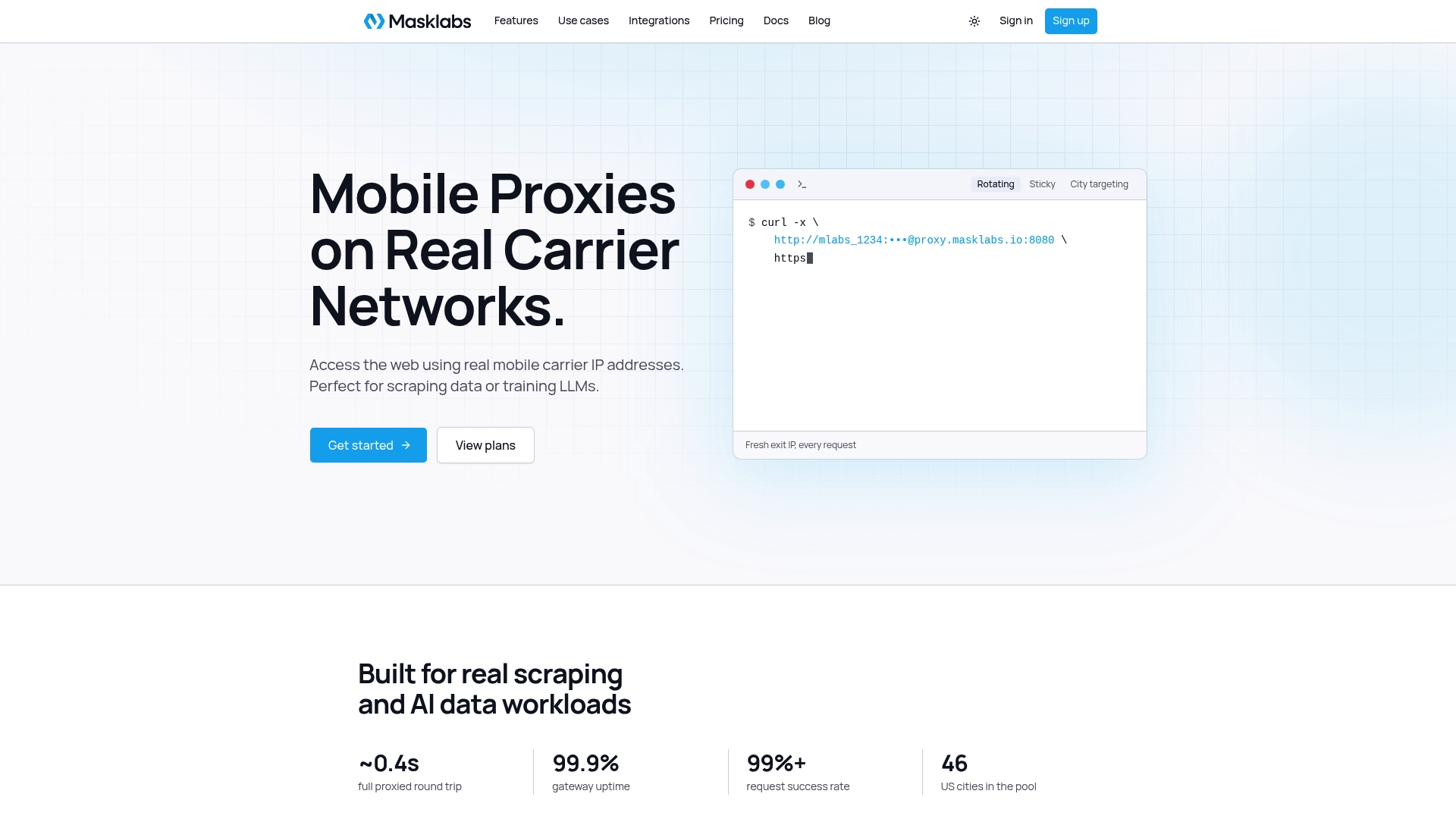
If your project depends on city-level US data, start from the Masklabs home page and set up your first credentials.
FAQ
What is the difference between a rotating proxy and a geo rotation proxy?
A rotating proxy changes your IP automatically, either per request or at intervals. A geo rotation proxy does that while restricting the IPs to a location you choose, such as a country or a city. The two controls are independent, so you can also hold one IP in a chosen city.
Should I use sticky or rotating sessions for scraping?
Use rotating sessions for large sets of independent pages, since each request can come from a different IP. Use sticky sessions for logins, carts and multi-page flows where the site expects one consistent visitor. Many projects use both: sticky to set up the session, rotating for the bulk sweep.
How do I know the proxy is in the city I requested?
Request an IP-information endpoint through the proxy at startup and compare the returned city or region with your target. Then check the target site itself, because different databases can classify the same IP differently. Store both results with your data.
Is proxy rotation legal?
Rotation itself is a technique, not an offense. The legality of a project depends on the data, the target and the jurisdiction. In the US, scraping publicly available data is not a CFAA violation, but login-gated access is unsettled and privacy laws may apply, so seek legal advice for personal data.
Sources
- GPS-Based Geolocation of Consumer IP Addresses (arXiv, 2021)
- Proxy Rotation and Geolocation Scraping: A Practical Guide
- Geographic Targeting, Production, Scale & Career
- Scraping Bad: The Case for a Unified Scraping Framework (Washington & Lee Law Review Online, 2026)
- Boost E-commerce Sales with Geo-Targeting Ads