Mobile Carrier Proxies: How They Work and How to Choose

Mobile carrier proxies send your requests out through IP addresses that a cellular carrier assigned to real SIM-connected devices, so the target site sees traffic that looks like an ordinary phone user on a US network. Because many subscribers share each carrier IP, sites tend to treat these addresses more cautiously than datacenter ranges. This guide explains the mechanics, the trade-offs, how to pick sessions and locations, and what to check on the legal side before you scale a scraper.
TL;DR
- A carrier proxy exits through an IP issued by a mobile carrier, not a hosting provider or a home ISP. Shared carrier addresses are the source of their trust.
- Shared IPs cut both ways: sites hesitate to block them, but they may rate-limit them more often, so session design and request pacing still matter.
- Use sticky sessions for logins and multi-step flows, rotating sessions for high-volume collection across many pages.
- Mobile IP geolocation is coarse. Verify the location you actually get before trusting city-level results.
- Check the target's terms and the relevant law before you collect data. Public-data scraping has a clearer US legal footing than it once did, but terms, privacy rules and contracts still apply.
Table of Contents
- What mobile carrier proxies are
- Why carrier IP addresses earn trust: CGNAT
- Carrier proxies vs residential and datacenter proxies
- Sticky, rotating and dedicated sessions
- Choosing a carrier and location
- Protocols and tooling
- How to evaluate a carrier proxy service
- Limits and responsible use
- Our perspective
- Start with real US carrier IPs
- FAQ
- Sources
What mobile carrier proxies are
A mobile carrier proxy is an intermediary whose outbound traffic leaves through a cellular network. Providers typically run SIM-enabled devices or modems attached to carrier networks, and your request exits through the IP address the carrier assigned to that connection, as explained in this guide to how mobile proxies work.
The other two common types differ by where the IP comes from. Datacenter proxies use hosting and cloud provider IPs, residential proxies use home connections through consumer ISPs, and mobile proxies use 4G and 5G carrier networks. That origin is what a target's anti-bot system sees first, before it looks at headers, cookies or behavior.
If you want a deeper comparison of the first two, we cover it in our breakdown of datacenter versus mobile proxies.
Why carrier IP addresses earn trust: CGNAT
Mobile carriers do not have enough IPv4 addresses to give every phone its own, so they use carrier-grade NAT (CGNAT). Thousands of subscribers can sit behind one public IP. The IETF reserved a dedicated block for this purpose: RFC 6598 (April 2012) sets aside 100.64.0.0/10 as shared address space for CGN deployments. That range is used inside the carrier network. The public addresses that websites see are the shared ones on the outside.

For a website, this creates a dilemma. If one carrier IP is carrying hundreds of real people, banning it blocks real customers. That is the architectural reason mobile IPs get more tolerance, not any clever trick in the proxy software. Sites may gently rate-limit carrier traffic because blocking one IP can affect many real users.
If you want to confirm CGNAT on a connection yourself, our walkthrough on how to detect CGNAT in five minutes shows the checks.
The catch: shared IPs are rate-limited more often
Trust does not mean unlimited throughput. Cloudflare's analysis found that CGNAT IPs are rate-limited three times more often than non-CGNAT IPs, even though their bot scores point to more human traffic. The likely cause is that many users share one address, so legitimate traffic trips mitigation rules.
The practical reading: a carrier IP is less likely to be banned outright, and more likely to meet a throttle or a step-up challenge. Pace your requests, spread them across sessions, and handle HTTP 429 responses with backoff.
Carrier proxies vs residential and datacenter proxies
| Factor | Datacenter | Residential | Mobile carrier |
|---|---|---|---|
| IP origin | Hosting and cloud providers | Home ISP connections | 4G/5G carrier networks |
| Shared by many users | Rarely | Sometimes | Usually, through CGNAT |
| Typical site reaction | Higher scrutiny, easy to flag by range | Moderate scrutiny | Throttling or step-up checks more than outright bans |
| Best for | Speed, cheap bulk fetching of tolerant targets | General geo-targeted browsing | Mobile-first platforms, stricter anti-bot targets, local result checks |
One vendor-published comparison reports that carrier IPs can show survival rates up to three to five times higher than residential proxies on platforms such as TikTok in multi-account operations. Treat that as a directional claim, not a guarantee: results depend on the target, your request pattern and your fingerprint.
The sensible rule is to match the proxy type to how real users reach the target. If the audience is mostly on phones over cellular networks, a carrier IP fits the expected environment. For static, tolerant pages, a cheaper type may be enough. Our seven datacenter versus mobile facts go through where each one wins.
Sticky, rotating and dedicated sessions
Session behavior is the setting that most often decides whether a job runs cleanly.
Rotating sessions assign a new IP on each request or on a short interval. They suit large crawls where each page is independent: product listings, search result pages, public directories.
Sticky sessions keep the same IP for a set window. Use them when the site expects continuity: logging in, adding items to a cart, paginating through a result set tied to a session, or checking a flow across several steps. Switching IPs mid-flow is a common reason a session gets challenged.
Dedicated mobile proxies reserve a device or line for one customer. They give the most predictable identity, at a higher cost, and are mainly worth it for long-lived account workflows.
A simple way to decide:
- Does the task need a login or cookies to persist? Use sticky.
- Are requests independent and numerous? Use rotating.
- Is the identity itself the asset, kept for weeks? Consider dedicated.
We go deeper on timing and configuration in our guide to rotating versus sticky sessions.
Choosing a carrier and location
Readers often search for a specific US carrier. Two cautions apply before you build a plan around that.
First, carrier choice is not always a setting you can control. Some services let you select by network, others select by city or region and give you whatever carrier IP is available. If a target behaves differently for one network, test that explicitly and ask the provider what is actually selectable.
Second, location accuracy is weaker on mobile networks than most people assume. A 2026 academic study found median geolocation errors of 179 to 207 km in mobile networks, more than ten times the 3 to 16 km seen in fixed networks, and it recommends against sub-national claims for these IPs. That affects two groups:
- You as a buyer: a city label on a proxy is a routing target, not a guarantee that every target site will place you in that city.
- Your analysis: if you compare prices or search results by city, record what the target page itself reports as your location, and discard samples that don't match.
For local search and ad checks, build a validation step into the pipeline: request a page that echoes your location, compare it with the intended city, and only keep matching results. Our write-up on location testing at scale shows one way to do this.
Protocols and tooling
Most carrier proxy services expose HTTP, HTTPS and SOCKS5 endpoints. HTTP and HTTPS proxies are enough for most scraping and browser work, while SOCKS5 helps when you need non-HTTP traffic or want the proxy to stay out of the protocol details. If you are unsure which to choose, see five decision rules for HTTP versus HTTPS proxies.
Check that the service works cleanly with your stack: Python, Node.js, Java, C#, Rust and browser automation tools are the usual set. For headless-browser workloads specifically, see how we approach 5G proxies in browser automation workflows.
How to evaluate a carrier proxy service
When you compare services, these criteria matter more than headline IP counts:
- IP origin: real carrier IPs, not relabeled datacenter or residential ranges.
- Targeting: how granular it is (country, state, city), and whether carrier selection is possible.
- Session control: sticky and rotating modes, with adjustable durations.
- Billing model: per-GB or per-byte metering versus per-port or per-IP pricing. Metered billing suits variable workloads. Flat per-port pricing can suit steady, high-volume ones.
- Reliability signals: published uptime and success-rate figures, and how they are measured.
- Access and management: API access, team credentials, a usage dashboard, and whether you can start without a sales call.
- Commitment: trial availability and whether you can change plans.
For a wider look at provider types for engineering teams, see our list of mobile proxy providers for developer teams.
Limits and responsible use
Carrier proxies solve an IP reputation problem. They do not solve everything else. Fingerprinting, cookie handling, request timing and account behavior still decide whether a session survives. Shared IPs also mean you inherit some noise from other users on the same address.
Because shared carrier IPs invite throttling, your client needs its own discipline. Concurrency caps, jittered delays and exponential backoff reduce 429 responses, and the same ideas apply on the server side, as covered in this piece on API rate limiting strategies. Understanding how limiters are built tells you how to stay under them.
Appropriate uses include price monitoring across regions, ad verification, local search testing, research on public pages and AI training data collection from sources that permit it. Account abuse, fraud and evading security controls are outside what any reputable service supports.
Is it legal?
Using a proxy is not illegal in itself. What matters is what you do through it. In the US, the Computer Fraud and Abuse Act is the main federal statute people cite. In Van Buren v. United States (2021), the Supreme Court held that a person does not violate the CFAA merely by misusing information they were authorized to access, which narrowed how the law applies. That helps with public pages, but it is not a blanket permission.
Before you run a collection job, check:
- The target's terms of service and robots.txt, since breaching terms can still create contract claims.
- Whether the data is public or behind a login you are not authorized to use.
- Privacy and data-protection rules if the data includes personal information, including state laws and, for non-US subjects, rules such as GDPR.
- Copyright and database rights if you plan to reuse content, especially for AI training.
For anything beyond routine public-data collection, talk to a lawyer who handles technology and data law in your jurisdiction.
Our perspective
We built Masklabs around one belief: if your job depends on looking like a real user on a real network, the IP has to come from a real carrier. That is why we run real US mobile carrier IPs, not datacenter ranges, and why we expose city-level targeting across 46 US cities.
We also think engineers should not need a sales call to start. You choose sticky or rotating sessions, create credentials for yourself or your team, and watch usage in a dashboard. Billing is metered per byte, so a small test costs little and a large job scales with what you actually transfer.
Our own targets are about 99.9% uptime and a success rate above 99%. We state them as our service goals so you can verify them on your own workload during the free trial, which is the only test that counts.
Jon
Start with real US carrier IPs
Masklabs provides mobile proxies on real US carrier IPs, with rotating and sticky sessions, HTTP, HTTPS and SOCKS5 support, API access and team credential management. You can begin with a free trial with limited data and check results against your own targets.
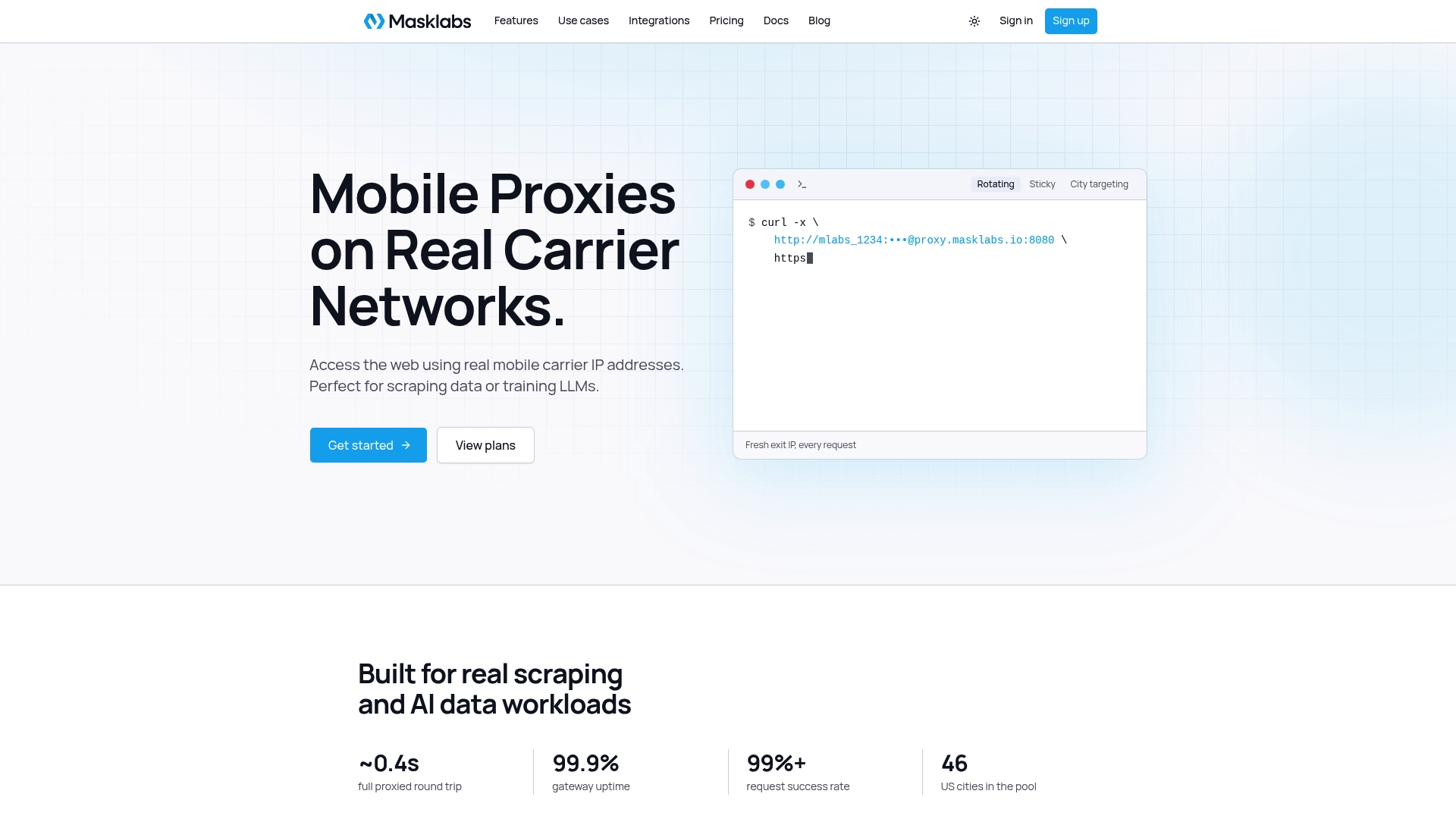
Plans are published on the pricing page: Starter at $30.00 per month, Basic at $100.00 per month, Advanced at $500.00 per month and Scale at $1,000.00 per month, with prepaid data add-ons billed per GB. See the full service on our US mobile proxies page.
FAQ
What is the difference between a mobile proxy and a carrier IP proxy?
The terms are used almost interchangeably. Both describe a proxy whose traffic exits through an IP issued by a mobile carrier on a 4G or 5G network. "Carrier IP" emphasizes the address source, while "mobile proxy" emphasizes the connection type.
Do carrier proxies guarantee I won't be blocked?
No. Shared carrier IPs make outright bans less likely, but they can be rate-limited more often. Request pacing, session choice and browser fingerprint all affect results.
Can I pick a specific carrier or city?
City or region targeting is common, and we support city-level targeting across 46 US cities. Carrier selection depends on the provider, so confirm what is configurable. Check the location the target actually reports, because mobile IP geolocation is often coarse.
How much do mobile proxies cost?
Pricing models vary between per-GB metering and per-port subscriptions. Our plans run from $30.00 to $1,000.00 per month depending on the monthly data pool, and prepaid add-ons are billed per GB. Compare cost per successful request on your own workload, not only the sticker price.
Sources
- How Mobile Proxies Actually Work | Softplorer
- RFC 6598: IANA-Reserved IPv4 Prefix for Shared Address Space
- Datacenter vs Residential vs Mobile Proxies: How to Choose
- Carrier Proxy vs Residential Proxy: What Is the Difference
- One IP address, many users: Detecting CGNAT to reduce collateral damage
- Lost in the Prefix: Revisiting IP Geolocation Accuracy
- Van Buren v. United States: Supreme Court Holds Accessing Information on a Computer (Congress.gov CRS)
- API rate limiting strategies