Golang Proxy Scraping: HTTP, SOCKS5 and Rotation in Go

To scrape through a proxy in Go, set the Proxy field on an http.Transport (HTTP or HTTPS proxies) or build a dialer with golang.org/x/net/proxy (SOCKS5), then reuse one client across goroutines. Add rotation by returning a different proxy URL per request, and wrap every call in timeouts and capped retries. This guide gives you working code for each step, the errors you will meet, and how real mobile carrier IPs fit in.
TL;DR
- Use
http.ProxyURLon a sharedhttp.Transportfor HTTP/HTTPS proxies. Credentials go in the URL's user info. - For SOCKS5,
proxy.SOCKS5fromgolang.org/x/net/proxyhandles username/password auth and plugs intoDialContext. - Rotate inside the
Transport.Proxyfunction. Never swap the field while goroutines are running. - Set a client timeout, retry with backoff and jitter, and cap total time per URL.
- Mobile carrier IPs from MaskLabs give your requests the profile of real mobile traffic, with sticky or rotating sessions in 46 US cities.
Table of Contents
- How Go sends a request through a proxy
- Route a Go scraper through an HTTP proxy
- Configure a SOCKS5 proxy in Go
- Rotate proxies without breaking concurrency
- Timeouts, retries and failed connections
- Common proxy errors in Go and how to diagnose them
- App proxies versus the Go module proxy
- Scrape responsibly: policy, rate limits and legal basics
- Our perspective on proxies for Go scrapers
- Start with real mobile IPs
- FAQ
- Sources
How Go sends a request through a proxy
Every http.Client in Go sends requests through an http.Transport. The transport decides, per request, whether to go direct or through a proxy. That decision lives in one field: Transport.Proxy, a function that takes the *http.Request and returns a proxy URL (or nil for direct).
The Go team has been explicit about how to use it. According to the net/http discussion in Go issue 31952, Transport.Proxy must be set before any concurrent use, and it should read the request it receives to make routing decisions. It cannot be changed safely from two goroutines at once. For a scraper, that means one rule: configure the transport once, and put any per-request logic (rotation, per-domain routing) inside the function.
Two practical consequences follow:
- Build one client and share it. Creating a new transport per request throws away connection reuse and leaks sockets.
- If you replace
http.DefaultTransportwith your own, setProxy: http.ProxyFromEnvironmentyourself if you still wantHTTP_PROXYandHTTPS_PROXYto be honored. A custom transport with noProxyfield goes direct.
Route a Go scraper through an HTTP proxy
The smallest working version uses a fixed proxy URL with credentials:
package main

import (
	"fmt"
	"io"
	"net/http"
	"net/url"
	"time"
)

func newClient(proxyURL string) (*http.Client, error) {
	u, err := url.Parse(proxyURL)
	if err != nil {
		return nil, err
	}
	tr := &http.Transport{
		Proxy:                 http.ProxyURL(u),
		MaxIdleConnsPerHost:   10,
		IdleConnTimeout:       90 * time.Second,
		TLSHandshakeTimeout:   10 * time.Second,
		ResponseHeaderTimeout: 20 * time.Second,
	}
	return &http.Client{Transport: tr, Timeout: 30 * time.Second}, nil
}

func main() {
	client, err := newClient("http://USER:PASS@PROXY_HOST:PORT")
	if err != nil {
		panic(err)
	}
	resp, err := client.Get("https://example.com/")
	if err != nil {
		panic(err)
	}
	defer resp.Body.Close()
	body, _ := io.ReadAll(resp.Body)
	fmt.Println(resp.Status, len(body))
}
Replace USER, PASS, PROXY_HOST and PORT with the values from your proxy dashboard. If the password contains characters such as @, : or /, percent-encode it or build the URL with url.UserPassword so parsing does not break.
For HTTPS targets, Go sends a CONNECT request to the proxy and tunnels TLS through it, so the proxy never sees page content. If you are unsure whether you need an HTTP or HTTPS proxy endpoint, our decision rules for HTTP vs HTTPS proxies lay out the difference.
Setting the proxy per request
Because the field is a function, you can route by hostname without touching the transport again:
tr.Proxy = func(r *http.Request) (*url.URL, error) {
	if r.URL.Hostname() == "internal.example.com" {
		return nil, nil // direct
	}
	return proxyU, nil
}
Assign it before the first request and leave it alone.
Using environment variables
If you leave Proxy as http.ProxyFromEnvironment, Go reads HTTP_PROXY, HTTPS_PROXY and NO_PROXY. That is convenient for containers and CI, where you want to change the proxy without rebuilding. For a scraper that needs rotation or per-job credentials, an explicit function is easier to reason about.
Configure a SOCKS5 proxy in Go
The standard library transport speaks HTTP proxies out of the box. For SOCKS5 you use the golang.org/x/net/proxy package. Its SOCKS5 implementation follows RFC 1928 and RFC 1929 and supports optional username/password authentication through proxy.Auth, as shown in the package source.
import (
	"context"
	"net"
	"net/http"
	"time"

	"golang.org/x/net/proxy"
)

func socksClient(addr, user, pass string) (*http.Client, error) {
	dialer, err := proxy.SOCKS5("tcp", addr,
		&proxy.Auth{User: user, Password: pass}, proxy.Direct)
	if err != nil {
		return nil, err
	}
	cd, ok := dialer.(proxy.ContextDialer)
	if !ok {
		return nil, fmt.Errorf("dialer has no DialContext")
	}
	tr := &http.Transport{
		DialContext: func(ctx context.Context, network, address string) (net.Conn, error) {
			return cd.DialContext(ctx, network, address)
		},
		TLSHandshakeTimeout: 10 * time.Second,
	}
	return &http.Client{Transport: tr, Timeout: 30 * time.Second}, nil
}
Notes that save debugging time:
- Use
DialContext, not the olderDial. The context version respects cancellation and deadlines, which matters when a scraper worker is shut down mid-request. - Hostname resolution. When you hand the dialer a hostname, the name is passed to the SOCKS5 server to resolve, so lookups happen on the proxy side rather than on your machine. That keeps DNS consistent with the exit location.
- Auth failures surface as a dial error, not an HTTP status. If you see an error from the SOCKS handshake, check credentials first.
Curious how the handshake negotiates credentials? We wrote up how each SOCKS5 authentication method works.
A shorter route: Go also accepts a socks5:// URL in http.ProxyURL on the standard transport, which is handy when you want one code path for both proxy types. Test it against your provider before relying on it in production.
Rotate proxies without breaking concurrency
Rotation is the part most scrapers get wrong, usually by mutating tr.Proxy while workers are running. The pattern the Go team describes works better: one function, set once, that decides each time it is called.
A round-robin version with an atomic counter:
import (
	"net/http"
	"net/url"
	"sync/atomic"
)

type Rotator struct {
	urls []*url.URL
	n    atomic.Uint64
}

func (r *Rotator) Next(_ *http.Request) (*url.URL, error) {
	i := r.n.Add(1) - 1
	return r.urls[i%uint64(len(r.urls))], nil
}

// usage
// rot := &Rotator{urls: parsedURLs}
// tr := &http.Transport{Proxy: rot.Next}
atomic.Uint64 needs Go 1.19 or later. On older versions, use a mutex around an integer.
Two things to keep in mind with any rotating setup:
- Connection reuse can hide your rotation. The transport keeps idle connections per proxy, so if your function returns the same URL for a stretch of requests, they share a connection. That is fine and efficient. If you want a new exit IP for every request, either use a rotating endpoint that changes the IP on its side or set
DisableKeepAlives: trueon the transport. - Match session type to the job. Crawling a catalog page by page often works better with a sticky session, where one IP stays pinned for a few minutes. Collecting independent pages (search results across many queries, price checks by city) suits rotation.
Rotating versus sticky on mobile IPs
With a mobile carrier network, many real users share each IP, so sites generally treat these addresses with more tolerance than datacenter ranges. MaskLabs offers both modes: sticky sessions that hold one IP, and rotating sessions that change it. You pick the mode through your proxy credentials and dashboard settings, so your Go code stays the same either way. If you want to see how the same idea looks in other stacks, our walkthroughs for Python scraping with proxies and rotation and Java proxy scraping configs use the same session logic.
Timeouts, retries and failed connections
A scraper that runs for hours will see resets, slow responses and rate-limit replies. Three settings keep that manageable.
Timeouts at every layer. Client.Timeout bounds the whole exchange including reading the body. Add TLSHandshakeTimeout and ResponseHeaderTimeout on the transport so a stuck proxy hop fails quickly. Use http.NewRequestWithContext with a per-job context so you can cancel a whole batch.
Retries with backoff and jitter. Retry on network errors, 429, and 502/503/504. Wait longer after each attempt, add random jitter so parallel workers do not retry in lockstep, honor a Retry-After header when the server sends one, and stop after a fixed number of attempts. Only retry idempotent requests (GET, HEAD) unless you have safeguards.

import (
	"context"
	"math/rand"
	"net/http"
	"strconv"
	"time"
)

func fetch(ctx context.Context, c *http.Client, u string) (*http.Response, error) {
	ctx, cancel := context.WithTimeout(ctx, 60*time.Second) // global deadline
	defer cancel()

	base := 500 * time.Millisecond
	var lastErr error
	for attempt := 0; attempt < 4; attempt++ {
		req, _ := http.NewRequestWithContext(ctx, http.MethodGet, u, nil)
		resp, err := c.Do(req)
		if err == nil && resp.StatusCode < 500 && resp.StatusCode != 429 {
			return resp, nil
		}
		wait := base << attempt
		if err != nil {
			lastErr = err
		} else {
			if s, e := strconv.Atoi(resp.Header.Get("Retry-After")); e == nil {
				wait = time.Duration(s) * time.Second
			}
			lastErr = fmt.Errorf("status %d", resp.StatusCode)
			resp.Body.Close()
		}
		wait += time.Duration(rand.Int63n(int64(wait) / 2))
		select {
		case <-time.After(wait):
		case <-ctx.Done():
			return nil, ctx.Err()
		}
	}
	return nil, lastErr
}
The global deadline matters as much as the attempt cap: without it, four attempts with long waits can hold a worker for minutes. Our post on scraper retry logic with three jitter options and one global deadline compares jitter strategies in more depth.
Always close response bodies, including on error paths you retry. Leaked bodies keep connections open and eventually look like proxy failures when they are really local resource exhaustion.
Common proxy errors in Go and how to diagnose them
| Symptom in Go | Likely cause | What to check |
|---|---|---|
proxyconnect tcp: dial tcp ... connection refused | Wrong host or port, or the proxy is unreachable from your network | Confirm the endpoint and port from your dashboard, and test with curl -x |
Proxy Authentication Required / status 407 | Missing or wrong credentials, or unescaped characters in the URL | Rebuild the URL with url.UserPassword, and check the plan or account is active |
context deadline exceeded or Client.Timeout exceeded | Slow target, tight timeout, or a stalled connection | Raise ResponseHeaderTimeout, and log which phase is slow |
EOF or connection reset by peer | Target closed the connection, or a stale idle connection was reused | Retry with backoff, and lower IdleConnTimeout |
x509: certificate signed by unknown authority | Something intercepting TLS, or a missing CA bundle in a minimal container | Install CA certificates in the image |
| Status 429 or 403 on every request | Request rate or fingerprint is too aggressive for the target | Slow down, spread load across sessions, send realistic headers |
| SOCKS handshake error | Bad credentials or wrong protocol on the port | Confirm the port is the SOCKS5 port, not the HTTP one |
A fast triage routine:
- Run the same request with
curl -x http://USER:PASS@HOST:PORT https://example.com. If curl works and Go does not, the issue is in your transport. - Fetch an IP-echo endpoint through the proxy to confirm the exit address and region.
- Log the error string, the attempt number and the proxy used for every failure. Patterns show up quickly.
- Turn on
GODEBUG=http2debug=1only when you suspect HTTP/2 stream problems.
For Java teams hitting the same 407 symptoms, our guide to fixing 407s and rotating proxies with Apache HttpClient maps almost one-to-one onto these checks.
App proxies versus the Go module proxy
The name causes confusion. The proxy your scraper uses at runtime is configured in your program, through the transport or the environment variables above. The Go module proxy is a separate thing: it is the server the go command contacts to download dependencies, controlled by GOPROXY, with GOPRIVATE marking modules that should skip the proxy and checksum database.
So if go get golang.org/x/net fails behind a corporate network, that is a module-proxy problem and your scraper's proxy settings will not help. Likewise, setting GOPROXY does nothing for HTTP requests your scraper makes. Keep the two configurations separate in your Dockerfile and CI.
Scrape responsibly: policy, rate limits and legal basics
Proxies change where a request appears to come from. They do not change your obligations. Before you point a Go scraper at a site:
- Read the site's terms and its
robots.txt. Respect disallowed paths and any stated crawl rules, and skip areas behind logins unless you have permission. - Throttle. Cap concurrency per host, add delays, and back off when you see
429. A scraper that is gentle on the target also fails less often. - Collect only what you need. Avoid personal data unless you have a lawful basis, and store it securely.
- Get legal advice for sensitive projects. If you scrape at scale, resell data or collect personal information, talk to a lawyer who works in data and IP law in the countries involved.
The rules differ by country and by use case, so treat this as a checklist for good practice, not legal advice.
Our perspective on proxies for Go scrapers
Most Go scraping problems that look like proxy problems are really three things: a transport built per request, retries with no ceiling, and an IP type the target already distrusts.
We built MaskLabs around the third one. Datacenter ranges are easy for sites to recognize, so requests from them tend to meet throttling early. Real US carrier IPs look like the mobile traffic the site already serves every day. That is why we focus on genuine mobile IPs, city-level targeting across 46 US cities, and a choice between sticky and rotating sessions.
For Go developers, we keep the integration plain. Standard
net/httpwith HTTP or HTTPS, orx/net/proxywith SOCKS5, and credentials you manage yourself in the dashboard. No sales call is needed to start, and billing is metered per byte, so you see what a crawl costs as it runs. Our goal is that the proxy layer becomes the least interesting part of your scraper.Jon
Start with real mobile IPs
If you are building a Go scraper for price monitoring, ad verification, geotargeted research or AI data collection, you can plug MaskLabs into the clients above in a few minutes. You get real US carrier IPs, HTTP, HTTPS and SOCKS5 endpoints, API access, and team credential management. A free trial with limited data lets you run your own Go code first.
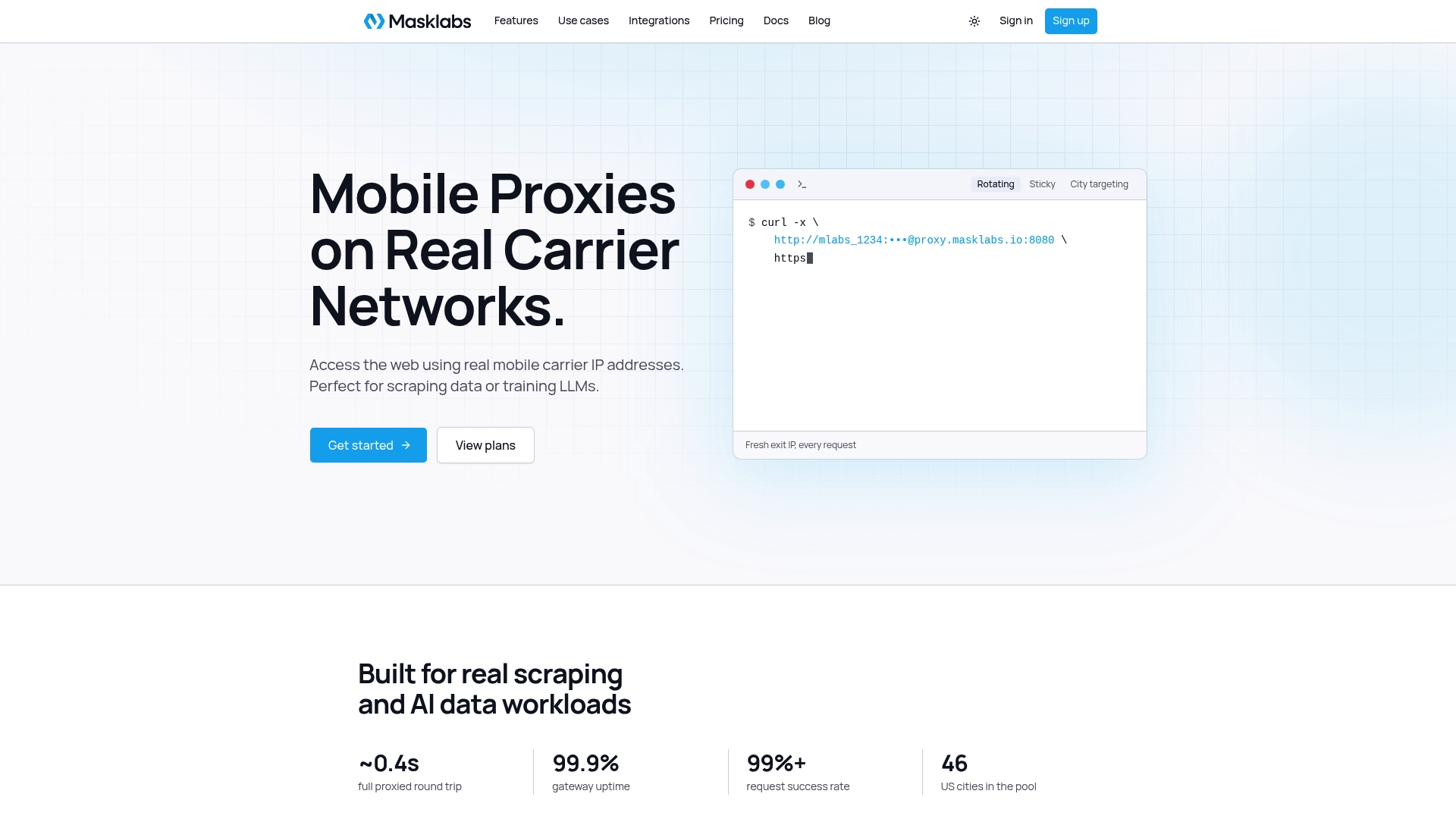
Plans are billed monthly: Starter is $30 per month, Basic is $100 per month, Advanced is $500 per month and Scale is $1,000 per month, with prepaid data add-ons billed per GB. See the current plans on our pricing page or read more about US mobile proxies on real carrier IPs.
FAQ
Does Go's net/http support SOCKS5 proxies?
The standard transport is built around HTTP proxies, so SOCKS5 is normally handled with golang.org/x/net/proxy. It supports username/password authentication through proxy.Auth. You pass the resulting dialer's DialContext to http.Transport.
Can I change the proxy on an existing http.Client?
Not safely while requests are in flight. Transport.Proxy should be set before concurrent use. The reliable approach is a single proxy function that picks a URL for each request, or a separate client per proxy that you store in a pool.
Why does my Go program ignore HTTP_PROXY?
Usually because a custom http.Transport was created without Proxy: http.ProxyFromEnvironment. A transport with no Proxy function connects directly. Add the field, or set the proxy explicitly in code.
Should I use sticky or rotating sessions for scraping in Go?
Use sticky sessions when a sequence of requests must look like one visitor, such as paging through results or a multi-step flow. Use rotating sessions for many independent requests, such as price checks across cities. With MaskLabs you choose the mode through your credentials, so the Go code does not change.
Sources
- golang.org/x/net/proxy SOCKS5 source (RFC 1928 and 1929 support)
- Go issue 31952: concurrent requests with different proxies in net/http