OkHttp Proxy Setup: Configuration, Authentication and Debugging

To send OkHttp traffic through a proxy, build your client with OkHttpClient.Builder.proxy(Proxy). If the proxy needs credentials, add a proxyAuthenticator that answers the proxy's challenge with a Proxy-Authorization header. That is the whole mechanism. The details that cost people hours are what happens when you skip one of these, when system properties interfere, and when a pooled connection ignores the change you just made.
This guide covers each of those cases with code you can paste into a Java or Kotlin project, then shows how to verify the setup and debug failures.
TL;DR
- Pass a
java.net.ProxytoOkHttpClient.Builder.proxy(). An explicit proxy overrides the system-wide selector. - For credentials, use
proxyAuthenticator(notauthenticator) and return a request withProxy-Authorization. Returnnullif the header is already there, or you will loop on bad credentials. - The proxy belongs to the client, not to the request. If you need different proxies, build separate clients from a shared base with
newBuilder(). - Test with a request that echoes your IP, and read the 407 and connect errors before changing code.
Table of Contents
- Set an HTTP proxy on OkHttpClient
- How OkHttp chooses between your proxy and system settings
- OkHttp proxy authentication with proxyAuthenticator
- One client per proxy: reuse and connection pooling
- Verify the proxy and debug failures
- What we see in practice with OkHttp
- Try it with real US mobile IPs
- Related setups in other stacks
- FAQ
- Sources
Set an HTTP proxy on OkHttpClient
OkHttp's current JVM API exposes three proxy-related builder methods: proxy(Proxy), proxySelector(ProxySelector) and proxyAuthenticator(Authenticator). For a single fixed proxy you only need the first one, plus the third when credentials are involved.
import java.net.InetSocketAddress;
import java.net.Proxy;
import okhttp3.OkHttpClient;
import okhttp3.Request;
import okhttp3.Response;

Proxy proxy = new Proxy(
    Proxy.Type.HTTP,
    new InetSocketAddress("proxy.example.com", 8080)
);

OkHttpClient client = new OkHttpClient.Builder()
    .proxy(proxy)
    .build();

Request request = new Request.Builder()
    .url("https://api.ipify.org?format=json")
    .build();

try (Response response = client.newCall(request).execute()) {
    System.out.println(response.body().string());
}
The same in Kotlin:
val proxy = Proxy(Proxy.Type.HTTP, InetSocketAddress("proxy.example.com", 8080))
val client = OkHttpClient.Builder()
    .proxy(proxy)
    .build()
A few points that save confusion:
Proxy.Type.HTTPis the right type for HTTP and HTTPS proxies. For HTTPS targets, the client asks the proxy to open a tunnel with an HTTP CONNECT request, as the myPOS developer guide also describes. We cover how that tunnel behaves in our HTTPS proxy CONNECT guide.Proxy.Type.SOCKSworks for SOCKS proxies, but SOCKS5 username and password authentication is handled by the JVM, not byproxyAuthenticator. Plan for that separately (see the SOCKS note below).- To switch proxy use off for a client, use
proxy(Proxy.NO_PROXY).
How OkHttp chooses between your proxy and system settings
This is the source of the most common "why is my traffic going somewhere else?" question. The rule is simple once you see it: an explicitly configured proxy takes precedence, and proxySelector is only consulted when the proxy is null. When neither is set, OkHttp falls back to the system-wide ProxySelector.getDefault(), which is where JVM properties such as http.proxyHost come in.
That has two practical consequences.
If you want a proxy, set it explicitly. Do not rely on -Dhttp.proxyHost flags. They apply to the whole JVM, and they are the reason a second application in the same application server can suddenly start proxying.
If you want no proxy while the JVM has one configured, say so. In a container where another app's system properties leak in, proxy(Proxy.NO_PROXY) makes your client go direct regardless of the default selector.
OkHttpClient direct = new OkHttpClient.Builder()
    .proxy(Proxy.NO_PROXY)
    .build();

Using a ProxySelector for rules
When you need logic, such as proxy only for certain hosts, implement a ProxySelector and pass it to proxySelector(). OkHttp asks the selector for proxies for the request URI. According to the RouteSelector source, an empty or null result becomes a direct route, and if the selector returns several proxies they are tried in sequence.
ProxySelector selector = new ProxySelector() {
    @Override public List<Proxy> select(URI uri) {
        if (uri.getHost().endsWith("internal.example.com")) {
            return List.of(Proxy.NO_PROXY);
        }
        return List.of(proxy);
    }
    @Override public void connectFailed(URI uri, SocketAddress sa, IOException ioe) {
        // log it; OkHttp will try the next route
    }
};

OkHttpClient client = new OkHttpClient.Builder()
    .proxySelector(selector)
    .build();
Remember that this only takes effect if you have not also called proxy() with a non-null value.
OkHttp proxy authentication with proxyAuthenticator
Most commercial proxies require credentials. When you connect without them, the proxy answers with HTTP 407 Proxy Authentication Required. OkHttp's official Authenticator documentation says that proxy authentication is triggered by a 407 response, and the authenticator should return a new request carrying a Proxy-Authorization header. The same page says to return null when that header is already present or the challenge cannot be satisfied.

That last rule matters. If you resend the same wrong credentials every time, you create a retry loop. Returning null when the header already exists breaks it and surfaces the 407 to your code.
import okhttp3.Authenticator;
import okhttp3.Credentials;

String user = System.getenv("PROXY_USER");
String pass = System.getenv("PROXY_PASS");

Authenticator proxyAuthenticator = (route, response) -> {
    if (response.request().header("Proxy-Authorization") != null) {
        return null; // already tried, give up
    }
    String credential = Credentials.basic(user, pass);
    return response.request().newBuilder()
        .header("Proxy-Authorization", credential)
        .build();
};

OkHttpClient client = new OkHttpClient.Builder()
    .proxy(proxy)
    .proxyAuthenticator(proxyAuthenticator)
    .build();
The myPOS guide shows the same pattern with Proxy.Type.HTTP, an InetSocketAddress and Credentials.basic.
Common authentication mistakes
- Importing the wrong
Authenticator. Bothjava.net.Authenticatorandokhttp3.Authenticatorexist. The builder wants the OkHttp one. If your IDE auto-imports the wrong class, the lambda will not compile as expected. - Using
authenticator()for a proxy. That method answers origin-server 401 challenges. Proxy challenges go toproxyAuthenticator(). - Hard-coding secrets. Read credentials from environment variables or a secret store, as in the snippet above, never from source control.
- Special characters.
Credentials.basichandles encoding of the user and password pair for you, so do not build the Base64 header by hand.
If you want to see what a 407 exchange looks like on the wire before you debug it in Java, our guide to HTTP proxy authentication with curl walks through the challenge and response headers.
Sending credentials on the first request
The authenticator approach costs one extra round trip: request, 407, retry with credentials. For high-volume scrapers that is wasteful on every new connection. You can answer the challenge preemptively with an interceptor that adds the header, but be careful: for HTTPS targets the Proxy-Authorization header must go on the CONNECT request, not on your inner request, which is exactly what the authenticator handles correctly. For most workloads, the authenticator is the safer choice, and connection reuse (covered below) means the extra round trip is paid rarely.
SOCKS5 note
If your provider gives you a SOCKS5 endpoint, use Proxy.Type.SOCKS. Username and password for SOCKS5 are supplied through the JVM's java.net.Authenticator.setDefault(...), which is process-wide. That is one more reason to keep one clearly documented place in your code where proxy credentials are set. If you only need HTTP and HTTPS targets, an HTTP proxy with proxyAuthenticator keeps the credentials scoped to the client.
One client per proxy: reuse and connection pooling
OkHttp is designed to be shared. Create one OkHttpClient and reuse it. That advice has a proxy-specific side: the proxy is part of the client configuration, not something you set per request. A widely referenced Stack Overflow answer reaches the same conclusion: when different requests need different proxies, maintain separate client instances.
The efficient way to do that is newBuilder(), which shares the connection pool and dispatcher with the parent:
OkHttpClient base = new OkHttpClient.Builder()
    .connectTimeout(Duration.ofSeconds(10))
    .readTimeout(Duration.ofSeconds(30))
    .build();

OkHttpClient viaProxyA = base.newBuilder()
    .proxy(proxyA)
    .proxyAuthenticator(authA)
    .build();

OkHttpClient viaProxyB = base.newBuilder()
    .proxy(proxyB)
    .proxyAuthenticator(authB)
    .build();
Why pooling matters when you rotate IPs
OkHttp's own documentation explains that the proxy is route information, not part of the URL, and that the pool reuses HTTP/1.x connections and multiplexes HTTP/2 connections. A pooled connection may be reused without selecting a new route, and once a response is received the connection returns to the pool for reuse.
For you, this means:
- If your proxy gives you a new exit IP per new connection, a client that keeps one live connection open will keep the same exit IP. Rotation happens only when a new connection is made.
- If you need a fresh IP for each request, use a provider's rotating mode, which changes the exit on the provider side, or build requests so that they do not share a pooled connection (for example by evicting the pool with
client.connectionPool().evictAll()between sessions). - If you need the same IP across a login flow or multi-step checkout, the opposite applies: reuse one client and let the pooled connection carry the session. A sticky session on the provider side makes this reliable even when connections are reopened.
This interplay between client-side pooling and provider-side rotation is the most common reason scraper authors see "rotation not working" even though the proxy is set up correctly.
Verify the proxy and debug failures
Before you debug your scraper logic, confirm that traffic really leaves through the proxy. Call an IP echo endpoint through the proxied client and compare it with a direct call from the same machine. If the two addresses match, your proxy is not in use, and the first suspect is a missing proxy() call or a ProxySelector that returned NO_PROXY.
Then read the failure, because each symptom points to a layer:
| Symptom | Likely cause | What to check |
|---|---|---|
407 Proxy Authentication Required surfaced to your code | Wrong credentials, or authenticator returned null after one try | Username, password, whether you used proxyAuthenticator |
SocketTimeoutException on connect | Wrong host or port, firewall, proxy down | Reach the host and port with curl -x from the same machine |
UnknownHostException for the proxy host | DNS or typo in the proxy host | Resolve the proxy hostname separately |
| Tunnel failed on HTTPS only | CONNECT rejected or blocked | Proxy logs, allowed ports, credentials on CONNECT |
| Right IP but target blocks you | Target-side blocking, not a proxy fault | IP type, session behavior, headers, request rate |
Our proxy error troubleshooting guide goes through this layer-by-layer approach in more detail, and the article on HTTP proxy headers explains which headers a proxy adds, strips or expects.
Do not expect a silent direct fallback
OkHttp tracks route history and can prefer alternate routes after failures involving a particular IP address or proxy, so a failed proxy may be followed by another configured route. But the changelog is explicit that OkHttp no longer silently attempts a direct connection when a configured system HTTP proxy fails, and that applications needing custom fallback should implement their own policy.
For scrapers this is good news. A job that was meant to run through a US mobile IP should fail loudly rather than quietly hit the target from your server's address. Build the fallback you actually want: retry on another proxy, back off, or stop. Our write-up on proxy failover strategies compares four approaches that avoid wasted retries.
Timeouts and retries
Mobile and residential-style routes can have higher latency than datacenter links, so set explicit connectTimeout, readTimeout and callTimeout values rather than relying on defaults. Keep retryOnConnectionFailure in mind: it is on by default and can hide a flaky route in your logs. When debugging, add an EventListener that logs connectStart, connectFailed and proxySelectEnd, so you can see which proxy and route each call used.
What we see in practice with OkHttp
We see the same four problems in support questions about OkHttp and proxies: a system property overriding the intent, a 407 loop from a missing
nullreturn, a pooled connection that keeps the same exit IP, and a scraper that is blocked because the IP itself looks like a data center.The first three are code problems and the snippets above fix them. The fourth is not. If a site treats datacenter ranges differently, no amount of header tuning in OkHttp changes how your request is classified. That is why we built Masklabs around real US carrier IPs, with city-level targeting in 46 cities, sticky and rotating sessions, and HTTP, HTTPS and SOCKS5 support. Your OkHttp client stays simple: one
Proxy, oneproxyAuthenticator, credentials from your dashboard.Our advice for teams is to treat the proxy as client configuration, give each target region or session type its own client built from a shared base, and keep credential handling in one place. Self-serve credential management and a usage dashboard exist so you can do that without a sales call.
Jon
Try it with real US mobile IPs
If you are building a scraper, a price monitor or an ad verification job in Java or Kotlin, the OkHttp setup above is all the client code you need. What changes the outcome is the IP your requests come from. Masklabs provides real US mobile carrier IPs with city-level targeting, sticky and rotating sessions, and metered per-byte billing, so you pay for the data you move.
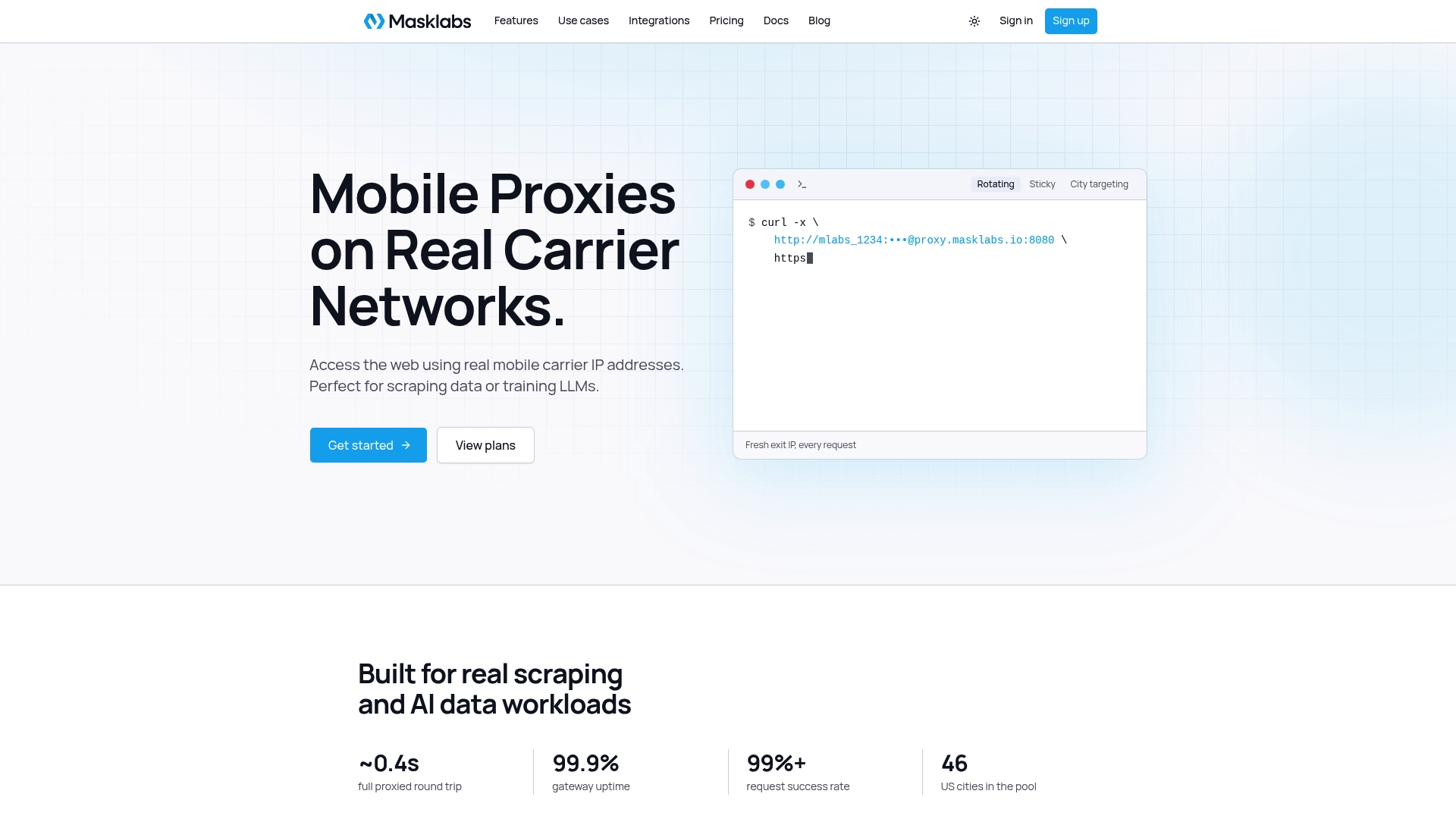
Plans start at $30 per month for Starter, with Basic at $100 per month, Advanced at $500 per month and Scale at $1000 per month, plus a free trial with limited data. See the plans on our pricing page or start from the Masklabs home page.
Related setups in other stacks
If your team mixes languages, the same concepts (explicit proxy, challenge-driven credentials, shared clients) carry over. We have written equivalent guides for Java's HttpClient and Apache HttpClient, C# HttpClient with SocketsHttpHandler, Python HTTPX and Node.js Axios. If you are unsure whether you need an HTTP or HTTPS proxy endpoint, our decision rules for HTTP vs HTTPS proxies cover it.
FAQ
How do I set a proxy in OkHttp?
Create a java.net.Proxy with Proxy.Type.HTTP and an InetSocketAddress, then pass it to OkHttpClient.Builder.proxy(). An explicit proxy takes precedence over any ProxySelector. To disable proxying for a client, pass Proxy.NO_PROXY.
How do I add proxy authentication in OkHttp?
Register a proxyAuthenticator on the builder. When the proxy replies with 407, return a new request with a Proxy-Authorization header built by Credentials.basic(user, pass). Return null if that header is already on the request, so bad credentials do not cause an endless loop.
Can I use a different proxy for each request?
Not directly, because the proxy is client configuration rather than request configuration. Build one base client and derive variants with newBuilder(), each with its own proxy and authenticator. The variants share the connection pool and dispatcher with the base client.
Why does OkHttp ignore my proxy or use the wrong one?
Check whether proxy() was called with a non-null value, because only then is it used ahead of the selector. If it was null, OkHttp consults the ProxySelector, which by default reads JVM system properties. Setting the proxy explicitly, or Proxy.NO_PROXY, removes that ambiguity.
Why do I keep the same IP when my proxy rotates?
OkHttp reuses pooled connections, and a reused connection does not select a new route. If the exit IP changes only on new connections, a long-lived pooled connection keeps the old IP. Use the provider's rotating mode or evict the pool between sessions.
Sources
- OkHttp JVM API listing (okhttp.api)
- OkHttpClient.Builder.proxy documentation
- OkHttpClient.java source
- RouteSelector.kt source
- Authenticator (OkHttp 3.8.1 API)
- OkHttp connections documentation
- OkHttp 3.x changelog
- myPOS Smart SDK proxy service guide
- How to set proxy for each request in OkHttp? (Stack Overflow)