Scraping Proxies in CI: Setup, Secrets and Health Checks

A scraper that passes on your laptop and fails in CI usually has a network problem, not a code problem. Pipeline runners make requests from addresses that target sites often treat with suspicion, and a scheduled job has no one watching to notice a blocked response. The fix is to route CI scraping jobs through a proxy that fits the target, keep its credentials in the pipeline's secret store, and add a verification step that fails the build before the scrape starts. For sites that block datacenter traffic, real mobile carrier IPs are the strongest fit, and that is what we built Masklabs around.
This guide is for developers, data scientists and analysts who run scraping, price monitoring or geo-targeted research on a schedule. It covers proxy choice, configuration, secrets, retries, session handling, health checks and the compliance questions to settle before a job goes into a pipeline.
TL;DR
- Pick the proxy type by how strict the target is: datacenter for tolerant sites, real mobile carrier IPs for sites that block or throttle by network reputation.
- Keep proxy credentials in your CI secret store, inject them as environment variables at run time, and never print them in logs.
- Run a short proxy check as the first pipeline step, so a dead or mislocated proxy fails the build in seconds instead of producing empty data.
- Give every job a finite retry budget, stop on 407 authentication errors, slow down on 429 responses, and rotate IPs only at task boundaries.
- Decide your lawful purpose and data fields before the job is scheduled, and record them.
Table of Contents
- Why a CI scraping job needs a proxy at all
- Choose the proxy type by the target, not by the price list
- Match location to the question you are asking
- Configure the proxy in your scraper
- Keep credentials out of the repository and the logs
- Fail fast: verify the proxy before every run
- Retries, rate limits and sessions
- Check permissions and privacy before the job is scheduled
- A reference pipeline, step by step
- What we recommend, and why
- Plans for pipeline workloads
- FAQ
- Sources
Why a CI scraping job needs a proxy at all
A proxy is an intermediary: your HTTP, HTTPS or SOCKS5 request goes to the proxy, which forwards it to the target site from its own IP address. The site sees the proxy's address, not yours.
In a local test that rarely matters. In CI it matters for three reasons.
- Shared, repetitive origin. Pipeline runners are typically hosted on cloud infrastructure, so every run starts from an address that looks like a server, not a person. Sites that screen for that pattern respond with 403 or CAPTCHA pages.
- Scheduled volume. A nightly job that requests hundreds of pages in a burst is the kind of pattern rate limiters are built to catch.
- Location. If you compare prices or search results across regions, the request has to come from the region you are measuring. A runner's location is not the location you want.
A proxy addresses all three, but only if the type matches the target and the pipeline handles failure properly. A proxy that silently returns blocked pages will pass a naive CI check, because the HTTP call technically succeeded.
Choose the proxy type by the target, not by the price list
The trade-off is always the same: the more a proxy looks like a real consumer connection, the less often it gets blocked, and the more each gigabyte costs.
| Proxy type | Best for | Block risk on strict sites | Cost profile |
|---|---|---|---|
| Datacenter | Tolerant sites, public APIs, internal staging checks | High | Lowest per request |
| Residential | Retail and search targets with moderate screening | Medium | Mid |
| Mobile carrier | Targets that block or throttle by network reputation, ad verification, local search testing | Lowest | Highest per GB, but fewer wasted retries |
Two points decide the choice in practice.
Count failures, not just bytes. A cheap proxy that fails 30 percent of requests costs you the retries, the extra runner minutes and the gaps in your dataset. A pipeline that feeds a dashboard or a model needs complete data, and a few retried requests cost less than a hole in a time series.
Mobile IPs share addresses by design. Carrier networks put many real users behind the same address pool, so sites are cautious about blocking them outright. That is why requests from real carrier IPs look like ordinary traffic. Masklabs uses real US carrier IPs rather than datacenter ranges, and we publish approximately 99.9% uptime and a success rate of over 99%.
When your targets are strict and your data has to be complete, start with mobile. When a target tolerates anything, a cheaper type is fine for that job, and you can mix types by job in the same pipeline.
Match location to the question you are asking
Geo-targeting is the part of CI scraping that most often goes wrong without anyone noticing. A price monitor that compares Chicago and Houston is meaningless if both requests exit in the same city.

Masklabs lets you browse from specific cities, with real carrier IPs in 46 US cities. That level of precision matters for local search testing, regional price comparisons and ad verification, where results change from one metro area to the next.
A few habits keep geo data honest:
- Verify the exit location, not the setting. Asking for a city is a request; checking where the exit IP actually resolves is evidence. Put that check in the pipeline (see the health check section below).
- Align the browser with the exit. Documentation for one scraping API describes how a proxy exit in the target country sets the request's network location, and how a country option aligns timezone, locale and Accept-Language. Headless browsers should do the same: a New York IP with a European locale header is an inconsistency that some sites flag.
- Know how the target localizes. Retail and shopping surfaces differ by market in language, currency and feed rules. For an example of how much a single shopping surface changes by market, see this overview of Google Shopping by country.
- Keep a control. Run one request per city from the same job and diff them. If two cities return identical results, check the exit before you trust the comparison.
Configure the proxy in your scraper
Every common stack takes the same four values: protocol, host, port and credentials. Masklabs supports HTTP, HTTPS and SOCKS5, and works with Python, Node.js, Java, C#, Rust and browser automation tools, so you can keep the HTTP client you already use.
A few rules apply whichever client you pick.
- Build the proxy URL from environment variables. Your code reads one variable, such as
PROXY_URL, and never contains a literal credential. - Set explicit timeouts. Set a connect timeout and a total timeout on every request. A proxied request that hangs will otherwise hold your runner until the job limit.
- Pick the right SOCKS variant. With SOCKS5, decide whether DNS resolves locally or through the proxy. Resolving through the proxy keeps lookups from leaking the runner's location, which matters for geo work.
- Reuse connections inside a task. Keep-alive on a single session is faster and looks more natural than a new connection for every page.
A Python example using an environment variable:
import os, requests

proxy = os.environ["PROXY_URL"]  # e.g. http://user:pass@host:port
session = requests.Session()
session.proxies = {"http": proxy, "https": proxy}

resp = session.get(
    "https://example.com/products",
    timeout=(5, 30),  # connect, read
)
resp.raise_for_status()
Java teams that hit authentication errors or pool throttling can start from our copy-ready Java proxy configs. If your first request returns a 407, our guide to HTTP proxy authentication walks through the curl checks that isolate the cause.
Keep credentials out of the repository and the logs
Proxy credentials are billable access. Anyone who has them can spend your data allowance, so treat them like any other production secret.
- Store them in the CI secret store. Every major CI platform has an encrypted secrets feature. Add the proxy URL there and expose it to the job as an environment variable only on the steps that need it.
- Never commit them. Not in
.envfiles in the repo, not in test fixtures, not in a Dockerfile. Add a secret scanner to the pipeline so an accidental commit gets caught. - Mask them in logs. Print the host and city, never the full URL. Many scraping libraries log the proxy URL on connection errors, so check what your client prints on failure.
- Do not pass them on the command line. Arguments can show up in process listings and build logs. Use environment variables or a config file written at run time and deleted after.
- Use separate credentials per environment. Staging, production and individual teams should not share one credential, so you can revoke one without stopping the others.
That last point is where team tooling earns its keep. Masklabs includes team and organizational credential management with a usage dashboard, so you can issue a credential per pipeline or per team and see which one is consuming data. Billing is metered per byte, so a runaway job shows up in usage quickly and a revoked credential stops it.
A GitHub Actions-style step looks like this:
- name: Run scrape
  env:
    PROXY_URL: ${{ secrets.PROXY_URL }}
  run: python scrape.py --city chicago
Fail fast: verify the proxy before every run
The cheapest bug to fix is the one the pipeline reports in ten seconds. Add a verification step before the scrape that checks three things: the proxy is reachable, authentication works, and the exit IP is where you expect.
You do not have to invent this from scratch. Scraping tools and open-source utilities already describe the pattern:
- One scraping API documents a
proxy_verifyoption that probes the configured proxy before a run, so an unreachable proxy fails immediately. - An open-source command-line checker tests HTTP, HTTPS, SOCKS5 and SOCKS5h connectivity, latency and exit IP location, with JSON output suited to CI. Its notes say some detection is heuristic, so treat location results as a signal you confirm against a second lookup.
- A scraper's documentation lists proxy checker settings such as check intervals, timeouts, thread counts and protocol selection, a useful reference for how often and how aggressively to probe.
A minimal pre-flight step does this:
- Send one request through the proxy to an IP-echo endpoint you control or trust.
- Fail the job if it times out, returns 407, or returns an address outside the city or country you requested.
- Record latency, and fail if it exceeds the threshold you set for the job.
Then add a post-scrape check on the data itself. Our guide to catching silent scraper failures covers the signals worth asserting: expected record counts, required fields present, and no block pages parsed as data. Fail the build when the record count drops sharply against the previous run. A 200 status with a CAPTCHA page in the body is the most common silent failure.
Retries, rate limits and sessions
A scheduled job needs rules for what happens when a request fails, because nobody is there to decide. These are starting points to tune against your own targets, not universal constants.
Set a finite retry budget per job. For example: three attempts per request, at most two route changes, and a 90-second ceiling per task. The point is a hard limit on both attempts and elapsed time, so a bad target cannot consume the whole pipeline. One engineering write-up on production scraping architecture suggests this kind of per-job budget with exponential backoff and jitter. Our own piece on retry logic and jitter options compares the jitter strategies and shows how to enforce one global deadline.
Treat status codes differently:
| Response | What it usually means | What to do |
|---|---|---|
| 407 | Proxy authentication failed | Stop. Retrying will not fix a wrong credential. |
| 429 | Rate limit | Slow down and honor any Retry-After header. A new IP may not help, because limits can be tied to an account or cookie. |
| 403 | Blocked or flagged request | Check headers, session and proxy type before retrying. See our 403 checklist. |
| 5xx or timeout | Transient failure | Retry with backoff and jitter, within budget. |
Rate limits deserve their own attention in CI, because pipelines tend to fan out parallel jobs that add up. How rate limiting affects large-scale automation explains why total request rate across all jobs is the number to control, not the rate per job.
Choose sticky or rotating sessions by task shape.
- Rotating gives each request a fresh IP. Use it for independent page fetches, such as a catalog crawl where each URL stands alone.
- Sticky holds one IP across a sequence. Use it for anything stateful: logins, carts, paginated results and multi-step forms. Changing IP mid-sequence invalidates the session and can trigger a block.
The rule of thumb is to rotate at business boundaries, never in the middle of a task. Masklabs offers both sticky and rotating IPs, so one account covers both patterns. For pool sizing and reuse across jobs, see our proxy pool management guide.
Check permissions and privacy before the job is scheduled
A pipeline makes a scrape repeatable and invisible, which is exactly why the legal and policy questions should be answered first, not after the job has run for six months.
Before you schedule anything, settle these:
- Purpose. Write down why you collect the data. A specific purpose lets you limit the fields you take.
- Fields. Collect only what you need. If you do not need names or contact details, do not extract them.
- Terms and access rules. Read the target's terms of service and robots.txt, and decide how your job respects rate and access limits.
- Personal data. If the pages contain personal data, guidance for scrapers recommends defining the purpose, minimizing fields, recording provenance and planning retention and deletion. Where the EU's GDPR applies, you also need to assess a lawful basis and whether an impact assessment is required.
- Jurisdiction. US, EU and UK rules differ. Our overviews of US, EU and UK web scraping rules and GDPR for US teams give the practical picture for engineering teams.
If the data feeds a model, the same discipline applies downstream. This primer on privacy-preserving AI techniques is a good next step for deciding what personal data should never enter a training set.
For anything touching personal data at scale, or a target whose terms prohibit automated access, get advice from your organization's counsel before the job goes live.
A reference pipeline, step by step
Putting it together, a scraping job in CI runs in this order:
- Load secrets. The proxy URL comes from the CI secret store into an environment variable, masked in logs.
- Pre-flight check. One request through the proxy confirms reachability, authentication and exit city. Fail the build on any miss.
- Scrape with a budget. Per-request timeouts, a finite retry budget, backoff with jitter, and a stop on 407.
- Choose the session mode. Rotating for independent fetches, sticky for stateful sequences.
- Validate the output. Record counts, required fields, no block pages, and a comparison with the previous run.
- Report usage. Log bytes consumed per job and compare with your plan, so a change in page weight does not surprise you at the end of the month.
- Archive with provenance. Store the data with the date, source URL and purpose, so retention and deletion rules can be applied later.
The usage step matters more than it looks. With metered per-byte billing, adding screenshots, images or full-page rendering to a job changes its cost immediately. Block images and unneeded resources in headless runs where you can.
What we recommend, and why
Most CI scraping failures we see described by engineers come down to three things: the exit IP looks like a server, the pipeline cannot tell a block page from a good page, and credentials are shared too widely. We built Masklabs to take the first one off the table with real US carrier IPs and city-level targeting.
The other two are pipeline design, and we want the tooling to help there as well. That is why credentials are self-serve and managed per team, why a usage dashboard shows consumption, and why you can start without a sales call or a long commitment.
Our advice is to treat the proxy as part of your test suite. Verify the exit, budget the retries, rotate at task boundaries and assert on the data. A proxy that is checked on every run is one you can trust on the nights nobody is watching.
Jon
Plans for pipeline workloads
Masklabs plans are tiered by the size of the monthly data pool: Starter is $30 per month, Basic is $100 per month, Advanced is $500 per month and Scale is $1,000 per month. If a job needs more than your plan includes, you can add prepaid data billed per GB. There is a free trial with limited data, which is enough to run your pre-flight check and a representative scrape against your real target from your real CI runner.
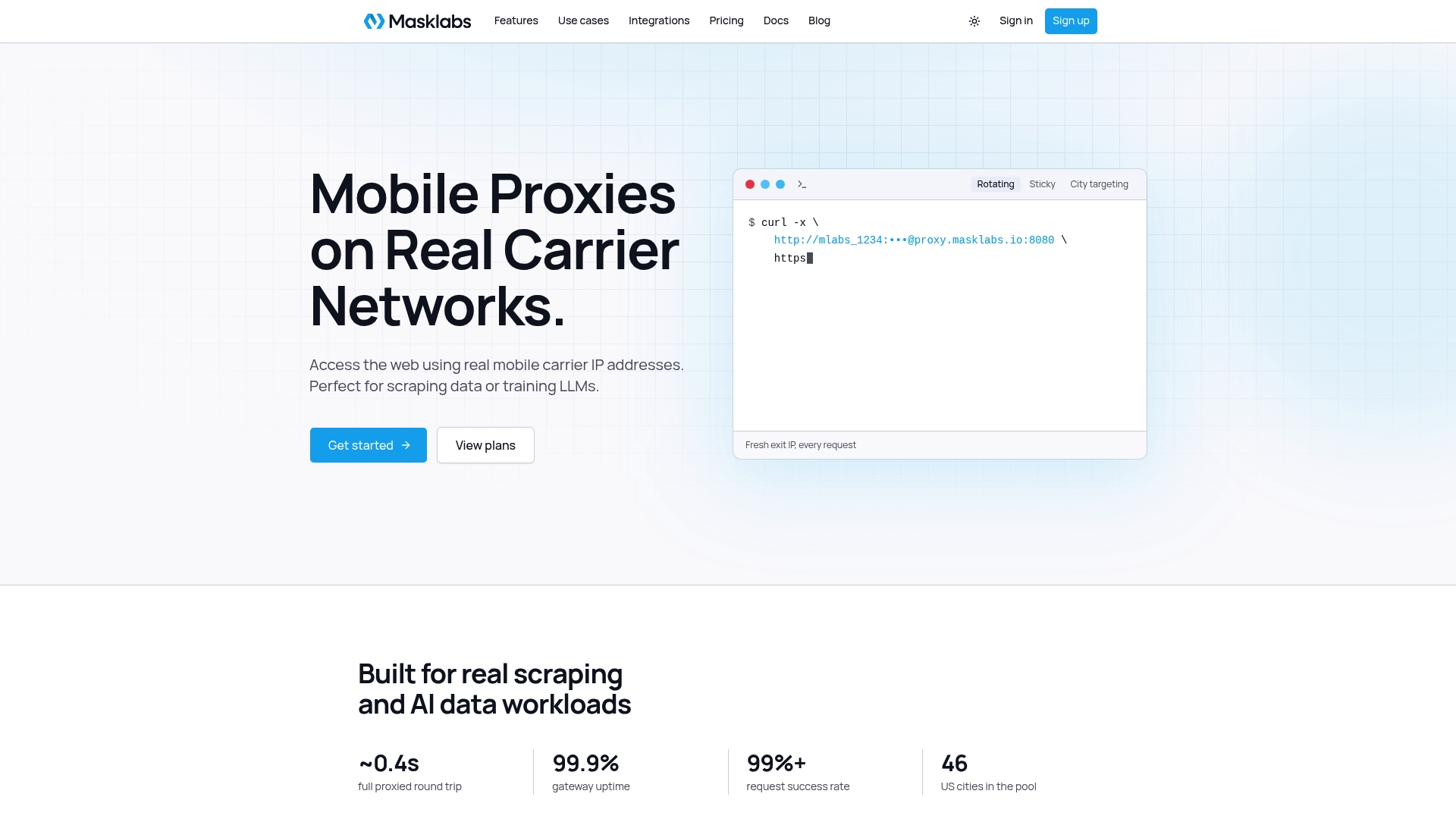
You get real US mobile carrier IPs in 46 cities, sticky and rotating sessions, API access and HTTP, HTTPS and SOCKS5 support. Compare the tiers on the pricing page, or see the US mobile proxy overview for the full feature list.
FAQ
Do I need a proxy for every scraping job in CI?
No. Public APIs and tolerant sites may work from a runner directly. Add a proxy when you see 403 or 429 responses, when you need results from a specific city, or when the data must be complete and a blocked run would leave a gap.
Should I use rotating or sticky sessions in a pipeline?
Use rotating sessions for independent page requests and sticky sessions for anything with state, such as logins, carts or paginated results. Rotate between tasks, not in the middle of one. Both are available on every Masklabs plan.
How do I keep proxy credentials safe in CI?
Store them in your CI platform's encrypted secret store, expose them as environment variables only to the steps that need them, and mask them in logs. Use a separate credential per environment or team so you can revoke one without stopping the rest.
What should I do when the proxy returns a 407 or 429?
Stop on a 407: it is an authentication failure, and retrying will not fix it. On a 429, reduce your request rate and honor any Retry-After header, because limits may be tied to an account or cookie, not only the IP.
Is scraping through a proxy legal?
The proxy does not change the legal analysis; the target, the data and your purpose do. Check the site's terms, avoid collecting personal data you do not need, and ask your counsel about jurisdiction-specific rules before scheduling a job.
Sources
- Use your own proxy (Spicrawl documentation)
- Proxy Checkers (A-Parser documentation)
- proxycheck-cli on GitHub
- Web Scraping Proxy Architecture: Production Design
- GDPR Compliance for Web Scrapers: A Practical 2026 Guide