Proxy API Integration: A Developer's Setup Guide

Integrating a proxy API means pointing your HTTP client at a proxy endpoint, authenticating with credentials, and choosing how sessions and locations behave. The request then leaves from the proxy's IP instead of yours. In most stacks that is a few lines of configuration. The work that decides whether the integration holds up is session handling, location checks, error handling and staying within site rules. This guide covers each step, with examples in Python and Node.js.
TL;DR
- A proxy API sits between your scraper and the target site. Your code sends the request to the proxy endpoint, and the proxy forwards it from its own IP.
- Integration needs four settings: host and port, credentials, a session mode (sticky or rotating) and an optional location.
- Verify the egress IP before you trust any dataset. Location comes from the IP the target sees, not from headers you send.
- Most failures are a 407 (credentials), a timeout (network path), or a 403 or 429 (the target pushing back). Debug them one layer at a time.
- Check robots.txt and the target's terms before you scale a collection job.
Table of Contents
- What a proxy API does in a data-collection request
- Before you write code: decide four things
- Step 1: Configure host, port and credentials
- Step 2: Choose sticky or rotating behavior
- Step 3: Target a location
- Step 4: Handle authentication correctly
- Troubleshooting common integration errors
- Build the integration for production
- Security, legal and site-access considerations
- Perspective
- Start with a small, verified batch
- FAQ
- Sources
What a proxy API does in a data-collection request
The phrase "proxy API" covers two different things, and search results mix them. In API management, an API proxy is a facade you put in front of your own backend to add security, caching or rate limits. That is not what this guide covers.
Here, a proxy API is a service you call to send outbound requests through someone else's IP addresses. The flow looks like this:
- Your scraper, crawler or test script builds a normal HTTP or HTTPS request.
- Instead of connecting to the target directly, it connects to the proxy endpoint and authenticates.
- The proxy opens the connection to the target from one of its IPs.
- The response comes back through the same path to your code.
The target site sees the proxy's IP, not your server's. That matters because many sites treat traffic differently based on the network it comes from. Datacenter ranges are easy to recognize, while traffic from mobile carrier networks looks like ordinary phone users. At Masklabs we route requests through real US mobile carrier IPs for this reason, and we expose city-level targeting so you can see a page as a user in a specific city would.
Before you write code: decide four things
A clean integration starts with decisions, not syntax. Settle these first and the code is short.
Protocol. HTTP and HTTPS proxies work with nearly every client. SOCKS5 is useful when you need to proxy non-HTTP traffic or your tooling expects it. Masklabs supports HTTP, HTTPS and SOCKS5, so you can match whatever your library handles best.
Session mode. A rotating session gives each request, or each short interval, a fresh IP. A sticky session keeps the same IP for a set period. Use rotating for broad, stateless collection such as fetching thousands of independent product pages. Use sticky for anything with state: logins, carts, paginated results that depend on a cookie, or multi-step browser flows.
Location. If the data depends on place, such as local search results, regional pricing or ad placement, pick the city up front. Our network covers 46 US cities. If location does not change the page, skip targeting and keep the setup simple.
Billing model. Metered per-byte billing means page weight is a cost line. Blocking images, fonts and video in a headless browser lowers it directly. Plan your data volume before choosing a tier.

Step 1: Configure host, port and credentials
Every proxy integration reduces to a URL of this shape:
http://USERNAME:PASSWORD@PROXY_HOST:PORT
Copy the exact host, port and credentials from your dashboard, because they differ per account. Keep them in environment variables, never in source control.
In Python, the requests library takes a proxies mapping. Its official documentation covers proxies, SOCKS support and environment variables. A minimal call looks like this:
import os, requests

proxy = os.environ["PROXY_URL"]  # http://USER:PASS@HOST:PORT
proxies = {"http": proxy, "https": proxy}

r = requests.get("https://example.com/", proxies=proxies, timeout=30)
print(r.status_code)
For SOCKS5, install the SOCKS extra for requests and use a socks5h:// URL. The h makes DNS resolve at the proxy side, which keeps lookups from leaking your own resolver's location.
In Node.js, most HTTP clients accept a proxy agent. Create the agent from the same URL and pass it to the client. With browser automation the proxy is a launch argument, and credentials are supplied separately. Our walkthrough of Puppeteer proxy rotation with mobile IPs shows the pattern end to end. On the JVM, see our OkHttp proxy setup guide for configuration, authentication and debugging.
Two habits save hours later:
- Always set a timeout. Without one, a stalled connection can hang a worker indefinitely.
- Use one client object per session. Reusing a connection pool for a sticky session keeps your cookies and your IP aligned.
If you are wiring the collected data into a larger application, such as a pipeline that feeds models or internal tools, plan that layer early. Teams building it often bring in help with AI integration in your stack so the scraping layer and the application layer are configured together.
Step 2: Choose sticky or rotating behavior
Session control is the setting people get wrong most often. The mistake is using rotation for a workflow that needs continuity, or pinning one IP for a job that needs breadth.
| Situation | Mode | Why |
|---|---|---|
| Crawling many independent pages | Rotating | Spreads requests across IPs, so no single address carries the whole load |
| Logging in, then fetching account pages | Sticky | The site ties the session cookie to the IP |
| Multi-step checkout or form flow | Sticky | A mid-flow IP change can invalidate the session |
| Price checks across many products | Rotating | Each lookup is independent |
| Local search testing in one city | Sticky, with a city set | Consistent location across repeated queries |
For sticky sessions, keep each one short and purposeful: pin an IP for the few minutes a task needs, finish the task, then release it. We cover duration, reuse and failure handling in session management tips for stable proxy workflows.
On a rotating setup, do not retry the same URL instantly on failure. Wait briefly, add jitter, and let the next request come from a new IP. A tight retry loop looks like a bot and wastes billed bytes.
Step 3: Target a location
When results depend on place, location targeting is the reason to use a proxy at all. Examples include local search rankings, store availability, regional prices and ad verification. With Masklabs you choose from 46 US cities, and the request exits from a carrier IP in that area.
Two details matter:
- The IP decides the location. A site's server-side geolocation reads the connecting IP. Changing an
Accept-Languageheader or sending coordinates does not move you. Headers can complement the IP, for example matching the language to a US locale, but they never replace it. - Browsers add a second signal. A real browser can also report location through its own geolocation API, time zone and language. If those disagree with the IP, the page may behave inconsistently. Our guide to setting browser geolocation correctly with proxies covers aligning them.
Verify the location before you collect
Do not assume the city you requested is the city the target saw. Add a verification step at the start of every job:
- Send one request through the proxy to an IP-echo endpoint that returns JSON.
- Read the IP, country, region, city and network (ASN) fields.
- Confirm they match your target, and abort the job if they do not.
IP geolocation databases disagree with each other, especially at city level, so one lookup is a signal rather than proof. Compare more than one source when location accuracy matters to your results. For a repeatable method, see how to build a 0 to 100 score that verifies proxy geolocation.
Step 4: Handle authentication correctly
Most proxy APIs authenticate by username and password sent in a Proxy-Authorization header, though some also allow IP allowlisting. If credentials are missing or wrong, the proxy answers with status 407. The HTTP specification defines this as a response that tells the client it must authenticate with the proxy, separate from authentication with the origin server. That distinction explains a common bug: sending an Authorization header when the proxy wants Proxy-Authorization.
Common causes of a 407:
- A typo, stray whitespace or newline in the username or password.
- Special characters in the password that are not URL-encoded inside the proxy URL, such as
@,:or/. - A credential that was rotated or revoked in the dashboard.
- A library that silently drops proxy credentials when it follows a redirect.
Our engineering write-up on fixing 407 errors with curl and the RFCs walks through diagnosing each of these. For teams, use separate credentials per project or environment. That way you can revoke one without breaking the rest, and usage is easier to attribute in the dashboard.
Troubleshooting common integration errors
When something fails, work out which layer failed before you change anything. The same symptom, "it doesn't work", comes from at least four layers.
| Symptom | Likely layer | First check |
|---|---|---|
| Connection refused or immediate reset | Network path | Host, port and protocol (HTTP vs SOCKS5) |
| 407 | Proxy authentication | Credentials, encoding, header name |
| Timeout | Network or target slowness | Raise timeout, test a simple known-good URL |
| TLS or certificate error | HTTPS handling | Client TLS settings, proxy scheme in the URL |
| 403 or CAPTCHA | Target site decision | Headers, request rate, session mode, location |
| 429 | Target rate limit | Slow down, add jitter, spread over more IPs |
| Correct status but wrong content | Location or personalization | Verify egress IP and city, clear cookies |
A reliable debugging routine:
- Test the proxy alone. Run one
curlrequest through it to a simple echo endpoint. If this works, your credentials and endpoint are fine. - Test the target with a minimal client. Strip custom headers and concurrency. If it works, add features back one at a time.
- Compare against a browser. If a real browser through the same proxy gets through but your script does not, the difference is in your headers, TLS behavior or request pattern.
- Log everything per request: status, latency, bytes, session ID and egress IP. Patterns show up quickly in these five fields.
We lay out the full layer-by-layer method in proxy error troubleshooting: find the failing layer fast. To track reliability over time, run three to five samples instead of one when you check proxy uptime, because a single probe tells you very little.
Build the integration for production
A script that works once is not an integration. These practices make it survive real workloads.
Wrap the proxy in one function. Put proxy configuration, timeouts, retries and logging behind a single fetch function. Every scraper in your codebase then calls it, and a change to the proxy setup happens in one place.
Retry selectively. Retry on timeouts, connection resets and 5xx responses with exponential backoff and a cap. Do not retry 407 (fix the credentials) and treat 403 as a signal to change something, not to repeat the same request.
Control concurrency. Start with a small worker pool and raise it while watching error rates. Rising 429s or 403s mean you passed what the target tolerates.
Watch your bytes. With per-byte metering, response size is cost. Request only the endpoints you need, prefer JSON endpoints over full pages where the site offers them, and block heavy assets in browser automation. Enable compression so responses transfer smaller.
Monitor usage. Check the dashboard on a schedule, and set an internal alert on bytes per job. A parser bug that loops over pagination can burn a month of data in an afternoon.
Separate credentials by environment. Development, staging and production should not share one login.
If you are still comparing providers or deciding what your integration needs, eight proxy API features data teams should compare first is a practical checklist.

Security, legal and site-access considerations
A proxy changes the IP your requests come from. It does not change your responsibilities as the party collecting data.
- Respect robots.txt. The Robots Exclusion Protocol is standardized as RFC 9309. It lets site owners state which paths automated clients may crawl. The document notes that these rules are not a form of access authorization, so they do not replace the site's terms or the law, but honoring them is the baseline for a well-behaved crawler.
- Read the target's terms of service. Some sites restrict automated access or specific uses of their data. Your legal obligations depend on your jurisdiction, the data and your use.
- Treat personal data carefully. If your collection can capture names, emails or other personal information, involve your legal or privacy counsel before you store or train on it. Privacy rules differ by country and state.
- Keep to public data. Do not use a proxy to get around logins or paywalls you are not authorized to use.
- Protect credentials. Store them in a secrets manager or environment variables, rotate them if exposed, and never ship them in client-side code or public repositories.
- Limit your footprint. Send requests at a pace that does not degrade the target service.
These are working practices, not legal advice. For anything with real legal exposure, such as large-scale collection for model training, talk to a qualified attorney.
Perspective
Most integration problems we see are not proxy problems. They are session problems and location problems that only show up in the data weeks later.
That is why we built Masklabs around real US mobile carrier IPs, city-level targeting and a choice of sticky or rotating sessions in the same account. You set the behavior your workflow needs instead of working around a fixed one. You also get credentials you manage yourself and a usage dashboard, so you can start without a sales call.
Our advice is to treat the first hour as a verification exercise. Confirm the egress IP, confirm the city, run a small batch, read the bytes used, and only then scale. Teams that do this rarely have to redo a dataset.
Jon
Start with a small, verified batch
Masklabs offers mobile proxy access over real US carrier IPs in 46 cities, with rotating and sticky sessions, HTTP, HTTPS and SOCKS5 support, and per-byte metering. Plans are priced by monthly data pool: Starter is $30.00 per month, Basic is $100.00, Advanced is $500.00 and Scale is $1,000.00. You can also add prepaid data by the GB, and the free trial includes a limited amount of data for a first test.
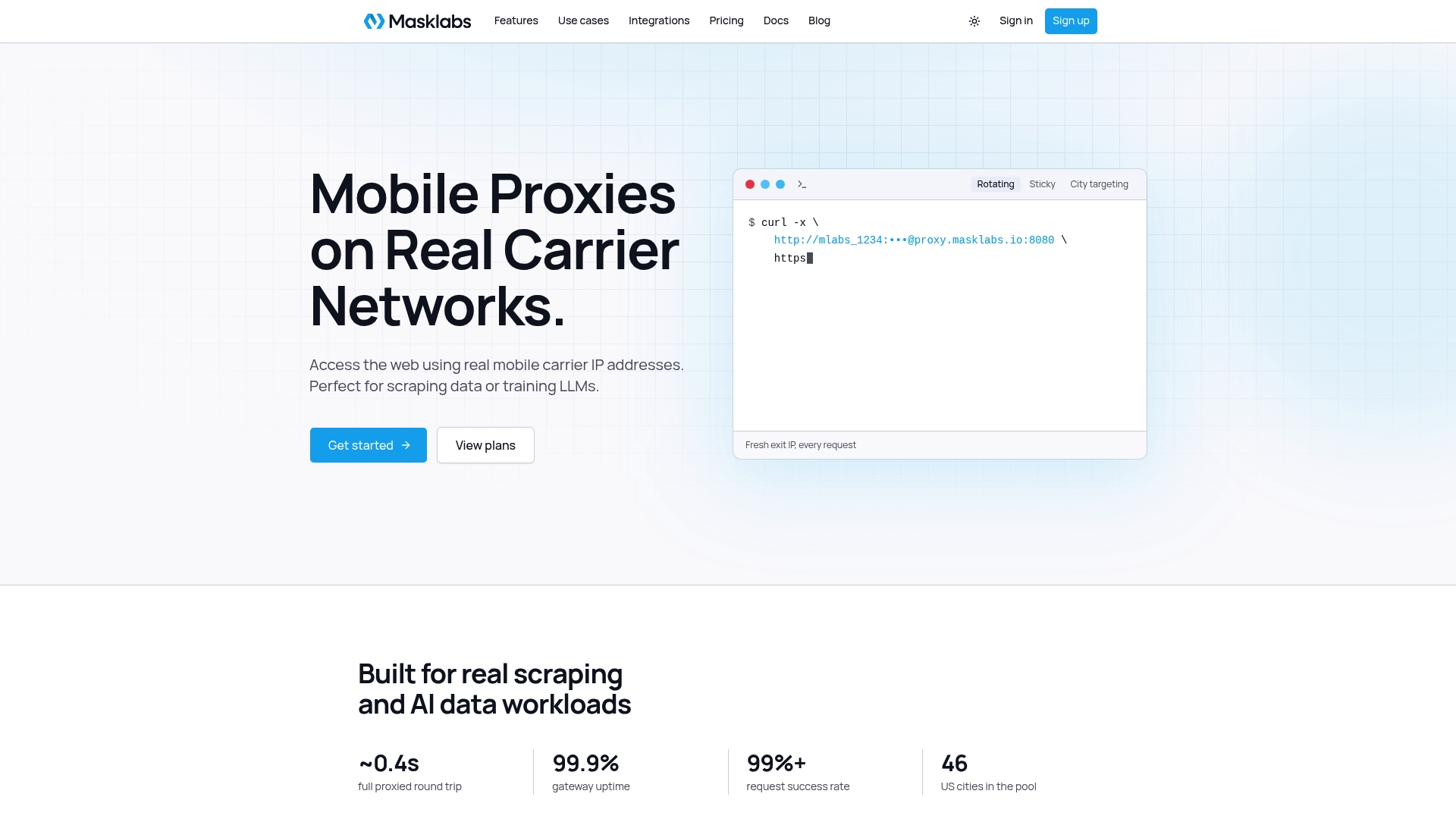
See the plans on the Masklabs pricing page, or read more about US mobile proxies on real carrier IPs before you set up your first integration.
FAQ
What is a proxy API?
In data collection, it is a service that forwards your HTTP requests through its own IP addresses, so the target sees the proxy's IP instead of yours. You configure it with an endpoint and credentials, and often choose session behavior and location. It is different from an API gateway or API proxy that fronts your own backend.
How do I integrate a proxy API into a scraper?
Set the proxy URL in your HTTP client or browser launch arguments, add credentials, and set a timeout. Then pick a session mode and, if needed, a city. Test one request against an IP-echo endpoint before running the full job.
Why am I getting a 407 error?
A 407 means the proxy did not accept your credentials. Check for typos, unencoded special characters in the password, and whether your client sends them in the proxy authentication header rather than the standard one. Also confirm the credential is still active in your dashboard.
Should I use sticky or rotating sessions?
Use sticky sessions when a task has state, such as a login, cart or multi-page flow. Use rotating sessions for independent requests across many pages. Many projects use both, in different jobs.
Is there a free proxy API?
Free endpoints exist, but they tend to be slow and shared, and they offer little control over location or sessions. For production data collection, a metered service with a trial lets you test your real workflow first. We offer a free trial with limited data.
Sources
- Requests documentation: Advanced usage and proxies
- RFC 9110: HTTP Semantics
- RFC 9309: Robots Exclusion Protocol