Proxy PAC Files: How Proxy Auto-Config Works and How to Write One

A proxy PAC file (proxy auto-config file) is a small JavaScript file that tells a browser, for every URL it opens, whether to connect directly or go through a proxy. The file defines one function, FindProxyForURL(url, host), and the browser calls it on each request. Whatever string the function returns, such as DIRECT or PROXY host:port, decides the route.
This guide covers how that decision works, which helper functions you can use, how to serve and test the file, where PAC files fall short for region-specific data collection, and how to point one at a pool of real carrier IPs.
TL;DR
- A PAC file is a JavaScript function,
FindProxyForURL(url, host), that returnsDIRECT,PROXY host:port,SOCKS host:port, or a semicolon-separated list that works as a fallback chain. - Save it with a
.pacextension and serve it asapplication/x-ns-proxy-autoconfig. Prefer a fixed URL over auto-discovery. - Use helpers such as
shExpMatch,dnsDomainIsandisInNetto route by hostname, domain or subnet. - PAC files choose a route for a browser. They do not rotate IPs, pin a city or manage sessions, so scraping jobs usually need that logic in the proxy layer.
- Distribute PAC files over HTTPS where you can, and treat the file as security-sensitive code.
Table of Contents
- What a PAC file is and how proxy auto-config works
- How FindProxyForURL() makes the decision
- Helper functions for routing rules
- A working example
- Serving the file and pointing clients at it
- Security: treat the PAC file as code that controls your traffic
- Testing and troubleshooting a PAC file
- Where PAC files stop: region-specific data collection
- Using a PAC file with real carrier IPs
- Perspective
- Start routing through real mobile IPs
- FAQ
- Sources
What a PAC file is and how proxy auto-config works
According to MDN's guide to PAC files, a PAC file contains a JavaScript function that determines whether browser requests go directly to the destination or through a proxy. The function returns a string. If that string lists several settings separated by semicolons, the browser tries them in order when a connection to one proxy fails.
The format is old. Netscape designed it in 1996 for Netscape Navigator 2.0, and each browser runs the script in a sandbox that exposes only the JavaScript functions needed to operate, as Kaspersky's Securelist team documented. That sandbox explains two things you will notice quickly: there is no fetch, no DOM and no timers, and the script has to stay small and synchronous.
The practical value is central control. Instead of typing proxy settings into every browser, you change one file and every client that reads it follows the new rules. For a developer, the same idea works on a single machine: one file can send only the domains you are testing through a proxy and let everything else go direct.

How FindProxyForURL() makes the decision
The browser passes two arguments:
url: the full URL being requested.host: the hostname extracted from that URL.
The function returns a string. The directives you will use most, per MDN, are:
| Return value | Meaning |
|---|---|
DIRECT | Connect straight to the destination, no proxy |
PROXY host:port | Use the named web proxy |
SOCKS host:port | Use the named SOCKS server |
Firefox also supports extra building blocks: HTTP host:port, HTTPS host:port, and SOCKS4 or SOCKS5 with a host and port. Because support differs by browser, keep your return strings conservative if the file must work everywhere.
Chaining directives gives you failover. A return value like PROXY proxy1.example.com:8080; PROXY proxy2.example.com:8080; DIRECT tells the browser to try the first proxy, then the second, then connect directly. Decide on purpose whether that final DIRECT is acceptable. If a policy requires all traffic through a proxy, leave it out so the request fails instead of leaking your real IP.
Helper functions for routing rules
PAC files provide predefined helpers. Securelist lists the standard set: isPlainHostName, dnsDomainIs, shExpMatch, isInNet, myIpAddress, dnsResolve, isResolvable, dnsDomainLevels, timeRange, dateRange and weekdayRange. They let you base a rule on a hostname pattern, an IP subnet or the time of day.
In practice, four of them carry most files:
isPlainHostName(host)matches names without dots, such asintranet. Send these direct.dnsDomainIs(host, ".example.com")matches a domain suffix.shExpMatch(url, "*://api.example.com/*")matches a shell-style wildcard against the URL or host.isInNet(dnsResolve(host), "10.0.0.0", "255.0.0.0")matches a subnet, which is how you keep private ranges off the proxy.
A few cautions from experience. dnsResolve and isInNet trigger a DNS lookup inside the script, which can slow page loads if DNS is slow. Put cheap string checks first and DNS-based checks last. And myIpAddress can return an address you do not expect on machines with several network interfaces or a VPN, so avoid building critical rules on it.
A working example
This file keeps local and internal traffic direct, sends one set of target domains through a proxy, falls back to a second proxy, and sends everything else direct. Replace the placeholder hosts with your own.
function FindProxyForURL(url, host) {
  // Local and internal names go direct
  if (isPlainHostName(host) ||
      shExpMatch(host, "*.internal.example") ||
      isInNet(dnsResolve(host), "10.0.0.0", "255.0.0.0") ||
      isInNet(dnsResolve(host), "192.168.0.0", "255.255.0.0")) {
    return "DIRECT";
  }

  // Sites under test go through the proxy, with a fallback
  if (dnsDomainIs(host, ".shop-example.com") ||
      shExpMatch(url, "https://search.example.com/*")) {
    return "PROXY proxy.example.net:8080; PROXY backup.example.net:8080";
  }

  return "DIRECT";
}
Notice the structure: exceptions first, specific proxy rules second, a default last. That ordering keeps the file readable when it grows to dozens of rules.
Serving the file and pointing clients at it
MDN says to save the file with a .pac extension and serve it with the MIME type application/x-ns-proxy-autoconfig, as noted in its proxy servers and tunneling guide. A wrong MIME type is one of the most common reasons a correct-looking file is ignored.
There are three usual ways to point a client at it:
- A fixed URL. Enter the file's address in the operating system or browser setting for an automatic proxy configuration script. On Windows managed by an admin, Group Policy can set the same URL for many users. This is the most predictable option.
- Browser launch flags. For testing, Chrome can be started with a proxy-related flag. Our guide to Chrome proxy flags covers
--proxy-serverand the options beyond it. - Auto-discovery (WPAD). The Web Proxy Auto-Discovery Protocol lets browsers find the file through DHCP option 252 or a DNS lookup for a host named
wpad. It is convenient on a managed network, and it is also the least controlled path, as the next section explains.
One limit matters for anyone planning to use a commercial proxy: the return string carries a host and port, not a username and password. How a client authenticates to the proxy is handled separately by the browser or operating system, so check that step in a test before you roll the file out widely. If you are writing code rather than configuring a browser, you can skip PAC and set the proxy in the HTTP client directly, as in our guides for C# HttpClient and Java and Apache HttpClient.
Security: treat the PAC file as code that controls your traffic
A PAC file decides where your browser sends requests, so whoever can change it can redirect your traffic. Securelist pointed out that the typical setup retrieves the file over clear-text HTTP, which exposes it to man-in-the-middle attacks in which an attacker intercepts and modifies the file.
Tim Perry of HTTP Toolkit explained why this keeps happening: files are usually served from a local network address over plain HTTP because no certificate is available for that address, and they are often fetched from a remote server so administrators can change them quickly. He also described WPAD abuse on local networks as one of the resulting attack vectors. The same write-up covers a vulnerability in the Pac-Resolver library, where PAC scripts were not sandboxed correctly and malicious files could lead to remote code execution. It was fixed in version 5.0.0 by switching to VM2.
Safe-use habits that follow from this:
- Serve the file over HTTPS from a host you control whenever your clients allow it.
- Set a fixed URL rather than relying on auto-discovery on networks you do not manage.
- Limit who can edit the file, and keep it in version control so every change is reviewed.
- If you parse or evaluate PAC files in your own tooling, keep the PAC-handling library up to date and never run an untrusted file outside a sandbox.
Testing and troubleshooting a PAC file
Most PAC problems fall into a short list. Work through it in order.
- Check the syntax. A single missing brace makes the whole file fail, and many browsers then fall back to direct connections without warning. Open the file in a JavaScript-aware editor first.
- Check delivery. Request the file URL directly and confirm it loads, returns the file text, and carries the
application/x-ns-proxy-autoconfigtype. - Test the function with known inputs. Call
FindProxyForURLwith a few URLs and hosts, including one internal name, one proxied domain and one unmatched domain, and compare the return strings with what you expect. Online PAC testers and small local proxy tools that run a PAC file exist for this. - Check the browser's own view. Chrome logs PAC evaluation in its network internals pages, and the exact steps change between versions, so look at current Chrome documentation rather than an old forum answer.
- Isolate the failing layer. If the PAC file returns the right proxy but pages still fail, the problem is in the connection or authentication, not the routing. Our proxy error troubleshooting guide shows how to find the failing layer quickly, and the proxy checker tools roundup helps you confirm the proxy itself works.
Two more habits save time. Keep a short test table of URLs and expected results next to the file, and rerun it after every edit. And when a client misbehaves, remember that different applications read proxy settings differently: a browser may honor the PAC file while a command-line tool or a background service ignores it.
Where PAC files stop: region-specific data collection
A PAC file answers one question: which proxy for this URL? It does not answer which IP, in which city, for how long. That gap matters for the readers who collect data by region.
The PAC function only sees the URL and hostname. It cannot hold a session, rotate to a fresh address after a set time, or ask for a specific city. Those behaviors live in the proxy service, usually through the endpoint, port or credential format you connect to. If your goal is price monitoring in several metro areas, ad verification or local search testing, the PAC file is just the signpost. The IP your target sees is decided downstream.
The IP you choose also affects how location data reads. Research published by the Internet Society's Pulse in August 2026 found that about 70% of geolocation prefixes covering mobile networks span more than 100 km, compared with 22 to 34% for fixed networks. The author also reported that in the Global South wide prefixes are two to three times more common, with a median geographic spread of 315 to 413 km. The takeaway for data work: never assume that a mobile IP will be placed in one exact city by every geolocation database. When location accuracy matters, validate what your target sees with a test request from the city you chose, and keep the sampling consistent across runs.
A few more practical limits to design around:
- One file, many rules. Large PAC files with many DNS lookups slow every page load. Keep them short and move heavy logic to the proxy side.
- Browser-only reach. Scrapers built on HTTP libraries or automation frameworks usually configure the proxy in code, which gives you per-request control that a PAC file cannot.
- Failover is coarse. The semicolon chain handles a dead proxy, but not a proxy that is up and returning errors. For that, read our proxy failover strategies so retries do not pile up.
- Protocol choice. Whether a rule returns
PROXYorSOCKSdepends on your traffic and DNS behavior. Our comparisons of HTTP vs HTTPS proxies and SOCKS5 vs HTTP proxies cover how to choose.
Using a PAC file with real carrier IPs
Masklabs provides mobile proxies on real US carrier IPs, with city-level targeting, rotating or sticky sessions, and HTTP, HTTPS and SOCKS5 support. Because the proxy is reached by host and port, it fits the PROXY and SOCKS directives a PAC file returns. A typical setup looks like this:
- Copy the proxy endpoint for the city and session type you want from your dashboard.
- Write a PAC rule that returns that host and port for only the target domains.
- Put a second endpoint after it as a fallback if your policy allows one.
- Leave everything else
DIRECT, so you spend data only on the traffic you need.
That last point has a cost angle. Billing is metered per byte, so routing only the domains you are testing through the proxy keeps unrelated browser traffic (updates, analytics, media) from using your data pool. A PAC file is a simple way to enforce that split for manual testing and browser-based checks.
Perspective
We see PAC files as a good routing layer and a poor session layer. They are excellent at deciding which traffic leaves through a proxy, and they keep that decision in one reviewable file.
The harder part of regional data work is what happens after the decision: which carrier IP the target sees, whether it stays put for a few minutes or changes on every request, and which city it appears to come from. We built Masklabs around that second half. Real US carrier IPs, 46 cities, sticky and rotating sessions, and HTTP, HTTPS and SOCKS5 access are designed so that your requests look like ordinary mobile traffic instead of datacenter traffic.
Our advice is to keep the PAC file small and boring. Let it split traffic by domain, and let the proxy layer handle rotation and geography, where you can control it per project, per team and per credential, with a usage dashboard to see what you are spending.
Jon
Start routing through real mobile IPs
If you already have a PAC file, the quickest way to try carrier IPs is to add one rule for the domains you care about and point it at a Masklabs endpoint. Plans are tiered by monthly data pool: Starter at $30.00 per month, Basic at $100.00, Advanced at $500.00 and Scale at $1,000.00. Prepaid data add-ons are billed per GB, and there is a free trial with limited data, so you can set it up without a sales call.
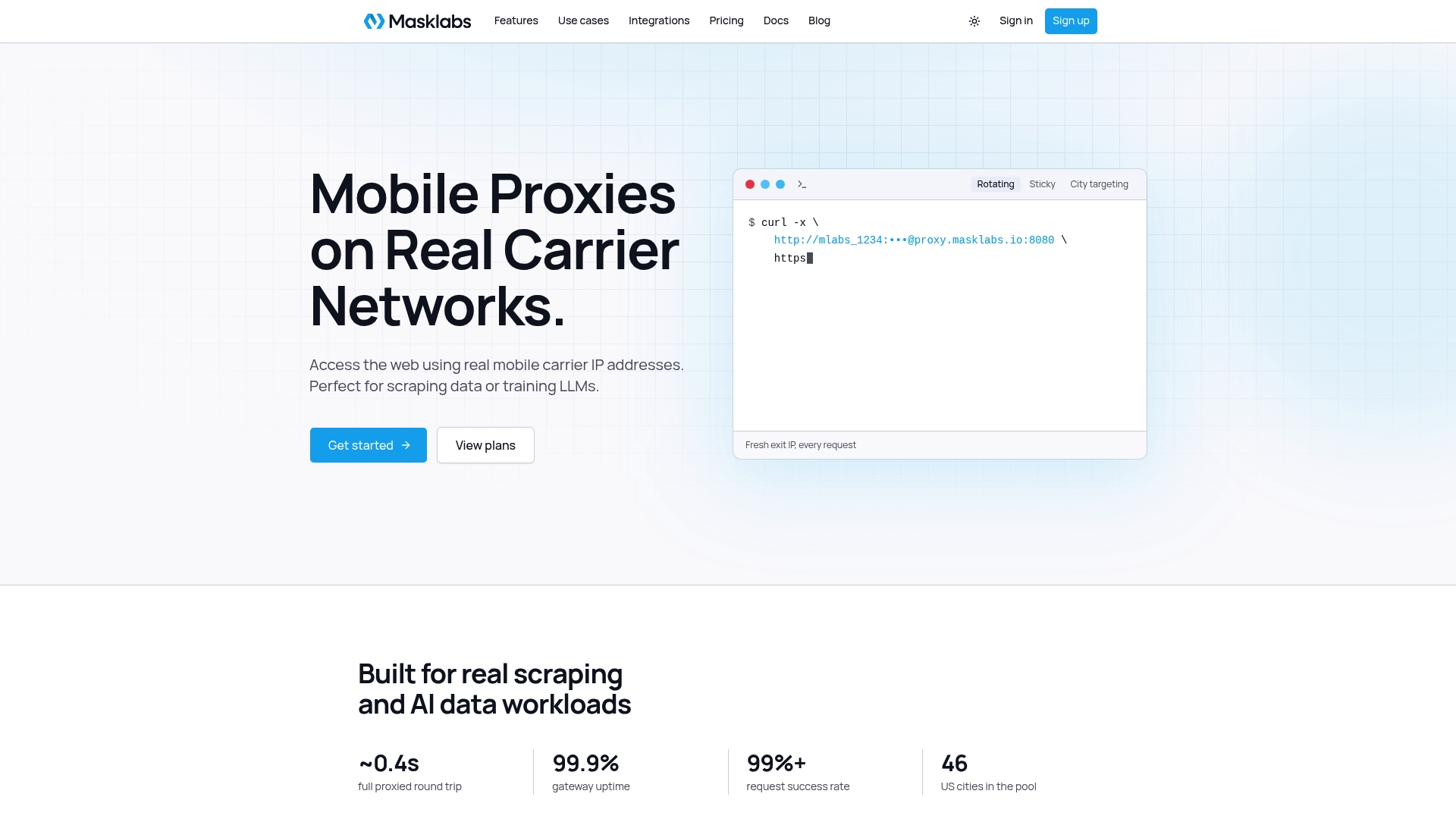
See how the real carrier IPs and city targeting work on the Masklabs home page, then check your PAC rules against a live endpoint.
FAQ
What is the difference between a PAC file and a proxy auto config setting?
They are the same idea. "Proxy auto-config" is the name of the mechanism and the setting in browsers and operating systems, and the PAC file is the script it loads. You enter the file's URL in the automatic configuration field, and the browser fetches and runs it.
Can a PAC file rotate IP addresses?
Not by itself. The file returns a proxy address for each URL, and it can list several proxies as a fallback chain. Rotation, sticky sessions and city selection are features of the proxy service you connect to, so configure them there.
Why is my browser ignoring the PAC file?
The usual causes are a syntax error, a wrong MIME type, a URL the browser cannot reach, or an application that does not read system proxy settings. Load the file URL directly, confirm the application/x-ns-proxy-autoconfig type, and test the function with sample hosts. If the right proxy is returned and requests still fail, look at authentication and connectivity next.
Is it safe to use WPAD to find the PAC file?
It is convenient on managed networks, but it relies on DHCP or DNS lookups that an attacker on the same network may be able to abuse, as HTTP Toolkit describes. A fixed PAC URL served over HTTPS from a host you control is the safer choice.
Sources
- Proxy Auto-Configuration (PAC) file, MDN
- Proxy servers and tunneling, MDN
- PAC - the Problem Auto Config, Securelist
- Proxies are complicated: RCE vulnerability in a 3 million download npm package, HTTP Toolkit
- Why IP Geolocation Can't Be Trusted for Mobile Networks and the Global South, Internet Society Pulse