Reqwest Proxy Setup in Rust: HTTP, HTTPS and SOCKS5

To send reqwest traffic through a proxy, build a reqwest::Proxy with Proxy::http, Proxy::https or Proxy::all, then pass it to Client::builder().proxy(...). For SOCKS5, enable the socks feature in Cargo.toml and use a socks5:// or socks5h:// URL. This guide walks through each case with working code, shows how environment variables interact with explicit settings, and covers the errors that usually trip people up.
TL;DR
- Build a
Proxyand attach it withClientBuilder::proxy. The client checks proxies in the order you added them, so an earlyProxy::allcan shadow later rules. - SOCKS5 needs the
socksCargo feature. Usesocks5h://when DNS lookups should happen on the proxy side. - Pass credentials with
.basic_auth(username, password)on theProxy, and URL-encode special characters if you put them inside the proxy URL. - reqwest reads
HTTP_PROXY,HTTPS_PROXYandALL_PROXYby default. Exclude hosts withno_proxywhen you need direct connections. - Build one
Clientand reuse it. Rebuilding the client for every request throws away connection pooling.
Table of Contents
- The basic reqwest proxy setup
- Custom rules with Proxy::custom
- Using a SOCKS5 proxy with reqwest
- Proxy authentication
- Environment variables and how they interact
- Troubleshooting reqwest proxy errors
- Security and version checks before you ship
- Structuring a scraper around one client
- Where the proxy itself matters
- Try it with real mobile IPs
- FAQ
- Sources
The basic reqwest proxy setup
A proxy in reqwest has two parts: a URL that says how to talk to the proxy, and rules that say which requests go through it. The reqwest Proxy documentation describes both, and the constructors map onto the rules:
Proxy::http(url)proxies HTTP traffic only.Proxy::https(url)proxies HTTPS traffic only.Proxy::all(url)proxies everything.Proxy::custom(...)lets a closure decide per URL.
Here is the smallest working example. It sends every request through one proxy:
[dependencies]
reqwest = { version = "0.12", features = ["json"] }
tokio = { version = "1", features = ["full"] }
use reqwest::{Client, Proxy};

#[tokio::main]
async fn main() -> Result<(), Box<dyn std::error::Error>> {
    let client = Client::builder()
        .proxy(Proxy::all("http://proxy.example.com:8080")?)
        .build()?;

    let body = client
        .get("https://api.ipify.org")
        .send()
        .await?
        .text()
        .await?;

    println!("Exit IP: {body}");
    Ok(())
}
Printing the exit IP from a service like this is the fastest way to confirm that traffic really leaves through the proxy and not from your own machine. Run it once without the proxy and once with it, and compare.
Scheme matters: what http and https refer to
A common point of confusion is that Proxy::http and Proxy::https describe the traffic being proxied, not the protocol used to reach the proxy. Proxy::http("https://my.proxy") sends plain HTTP requests to the target through a proxy that you reach over TLS. If you are unsure which proxy type fits your setup, our breakdown of HTTP vs HTTPS proxy decision rules covers the trade-offs.
In practice, most scraping and API work goes to HTTPS sites, so you either use Proxy::https or, more simply, Proxy::all.
Proxy order and shadowing
You can add several proxies to one client. The documentation says the client checks each proxy in the order it was added, which means a broad Proxy::all added first prevents any later proxy from ever being used. Put the narrow rules first and the catch-all last:
let client = Client::builder()
    .proxy(Proxy::https("http://secure-route.example.com:8080")?)
    .proxy(Proxy::http("http://plain-route.example.com:8080")?)
    .build()?;
Custom rules with Proxy::custom
When the decision depends on the destination, Proxy::custom takes a closure that receives the request URL and returns an Option containing the proxy URL. According to the reqwest crate documentation, returning None means the request is not proxied.
let proxy = Proxy::custom(|url| {
    if url.host_str() == Some("internal.example.com") {
        None
    } else {
        Some("http://proxy.example.com:8080")
    }
});

let client = Client::builder().proxy(proxy).build()?;
This is useful for scrapers that talk to a mix of targets: your own internal API goes direct, and public sites go through the proxy. It is also a clean place to route different domains to different exit locations.
Using a SOCKS5 proxy with reqwest
SOCKS5 support is behind a Cargo feature. The reqwest docs state that you enable the socks feature to use a SOCKS5 proxy. Without it, a socks5:// URL fails, which is the exact situation behind the question in reqwest's issue tracker where someone added a SOCKS5 proxy and got an error on unwrap.
[dependencies]
reqwest = { version = "0.12", features = ["socks"] }
let client = reqwest::Client::builder()
    .proxy(reqwest::Proxy::all("socks5h://proxy.example.com:1080")?)
    .build()?;
socks5 vs socks5h
The trailing h decides where DNS happens. Per the Goose Book's proxy guide, with socks5h:// both DNS resolution and network traffic go through the proxy, so use it whenever the lookup itself should not come from your machine. With plain socks5://, your local resolver looks up the hostname first.
That matters for two reasons:
- Privacy: local lookups reveal which hostnames you are requesting to your own network's resolver.
- Geo-accuracy: some sites return different answers depending on where the resolver sits. Resolving at the exit location keeps the picture consistent.
If you want to test the difference outside Rust first, we put together five curl proxy commands for debugging DNS, and a deeper look at SOCKS5 versus HTTP proxies and DNS leaks.
Proxy authentication
Most paid proxies require credentials. The cleanest way in reqwest is .basic_auth(username, password) on the Proxy, which, as the Proxy docs explain, sets the Proxy-Authorization header using Basic auth.
use std::env;

let user = env::var("PROXY_USER")?;
let pass = env::var("PROXY_PASS")?;

let proxy = reqwest::Proxy::all("http://proxy.example.com:8080")?
    .basic_auth(&user, &pass);

let client = reqwest::Client::builder().proxy(proxy).build()?;
Two habits keep this safe:
- Read credentials from the environment or a secrets manager, never from a string literal that ends up in version control.
- Avoid logging the proxy URL if you embed the credentials in it.
If you prefer the user:pass@host form inside the URL, URL-encode special characters such as @, : or / in the password. The Goose Book's troubleshooting advice lists this alongside verifying the proxy is reachable. An unencoded @ in a password is one of the most common reasons a correct credential still produces an authentication failure.
For SOCKS5 specifically, authentication happens at the SOCKS handshake instead of through a header. Our explainer on SOCKS5 authentication methods shows how each method works. And if your HTTP proxy answers with a 407, this HTTP proxy authentication guide walks through diagnosing it with curl and the relevant RFCs.
Environment variables and how they interact
You do not have to write any proxy code for simple cases. The reqwest documentation says a client uses HTTP_PROXY, HTTPS_PROXY and ALL_PROXY by default, and the names are case-insensitive, so http_proxy works too.
| Variable | Applies to |
|---|---|
HTTP_PROXY / http_proxy | HTTP connections |
HTTPS_PROXY / https_proxy | HTTPS connections |
ALL_PROXY / all_proxy | Fallback for both |
When several are set, the more specific HTTP or HTTPS variables take precedence over ALL_PROXY. Adding a Proxy to the ClientBuilder can overwrite these settings, so an explicit proxy in code is the more predictable choice when you need the same behavior on every machine.
That predictability is the real reason to prefer explicit configuration for production scrapers. A stray HTTPS_PROXY on a developer laptop or in a CI runner can silently change where a job's traffic goes.
Excluding hosts with no_proxy
Use .no_proxy(...) on a Proxy to exclude destinations, as the Proxy docs describe. The matching rules come from reqwest's source: the list is comma-separated, IP addresses may carry subnet masks, and a domain entry matches that domain and its subdomains. A single * matches every hostname, so it disables proxying completely.
let proxy = reqwest::Proxy::all("http://proxy.example.com:8080")?
    .no_proxy(reqwest::NoProxy::from_string("localhost,127.0.0.1,.internal.example.com"));
Check that your reqwest version exposes NoProxy with this signature before copying the snippet, since the API has moved between releases.
Troubleshooting reqwest proxy errors
Most failures fall into a handful of buckets. Work through them in this order.
The proxy URL fails to parse or the builder returns an error
Check the scheme. For SOCKS you need the socks feature, as covered above. Then check that special characters in embedded credentials are URL-encoded.
Connection refused or timeouts
Verify the proxy is reachable from the machine running your code, which is a standard first step in the Goose Book's troubleshooting list. Test with curl using the same host, port and credentials. If curl works and reqwest does not, compare the scheme and the environment variables: an inherited ALL_PROXY can be in play.

407 Proxy Authentication Required
The proxy rejected the credentials or did not receive them. Confirm that .basic_auth was called on the same Proxy you passed to the builder, and that the username and password have no unencoded characters. For a systematic approach, see our guide to fixing 407 errors.
DNS results look wrong
Switch from socks5:// to socks5h:// so the proxy resolves hostnames. For HTTP proxies the proxy resolves the target host by design.
TLS and certificate errors
reqwest supports the native-tls and rustls backends, and the ClientBuilder can add extra server certificates and client certificates, according to the crate documentation. If you intercept traffic with a debugging tool, add that tool's root certificate to the client instead of turning verification off. Disabling certificate checks removes the protection TLS exists to give you, and it tends to survive from a debugging session into production.
Headers behave unexpectedly
Proxies can add, strip or rewrite headers. If the target sees something you did not send, read our overview of HTTP proxy headers. For long-lived connections, WebSocket over a proxy has its own failure modes.
Security and version checks before you ship
A few checks are worth making before a proxied reqwest client goes into production:
- Pin and review versions. Proxy-related APIs have changed between reqwest releases, and the project has discussed a more modular internal design where proxy handling becomes a connector service. Read the changelog for the version in your
Cargo.lockwhen you upgrade, and runcargo updatedeliberately rather than as a side effect. - Choose a TLS backend on purpose. Decide between
native-tlsandrustlsand enable only one, so certificate behavior is the same in every environment. - Keep secrets out of code and logs. Use environment variables or a secrets store for proxy credentials.
- Make the proxy path explicit. Set the proxy in code, and decide whether environment variables should be allowed to influence the client at all.
- Test the exit IP in CI. A tiny check against an IP echo endpoint catches a misconfigured proxy before it affects collected data.
Structuring a scraper around one client
A reqwest Client holds a connection pool, so build it once and share it across tasks. Cloning a Client is cheap because the clone shares the same pool.
There is one wrinkle with rotating proxies. If a connection to the proxy stays open and is reused, requests ride the same upstream session. When you need a new exit IP per request, you either use a proxy endpoint that rotates for you or build clients per identity. When you need the same IP across a multi-step flow, such as login then browse, use a sticky session on the provider side and keep the requests on one client.
A pattern that works well:
- One client per identity (one sticky session, one set of cookies).
- A pool of those clients, picked by task.
- Timeouts on every client (
.timeout(...)and.connect_timeout(...)), so a dead proxy fails fast. - Retry with backoff on connection errors and on 429 or 5xx responses.
Where the proxy itself matters
Correct reqwest configuration only gets traffic to the proxy. What the target site sees is determined by the IP behind it. Datacenter ranges are widely recognized, and requests from them are the ones most likely to hit blocks or throttling. Real carrier IPs look like ordinary mobile users, which is why they suit geo-specific data collection. Our walkthrough on Rust proxy requests with 46 city mobile IPs applies the setup above to that case. If you also work in Python, the same ideas appear in our HTTPX proxy setup, and for JavaScript, in our Node fetch proxy guide.
Our perspective
We see the same pattern in Rust projects again and again. The reqwest side takes about ten minutes: a
Proxy, a.basic_authcall, one shared client. The hours go elsewhere, into requests that get throttled or blocked because the IP looks like a datacenter.That is why we built MaskLabs around real US mobile carrier IPs, with city-level targeting across 46 cities, so a request for local prices, search results or ads looks like it came from a person in that city. Sticky and rotating sessions cover both multi-step flows and high-volume collection, and HTTP, HTTPS and SOCKS5 all work with the client code in this article.
We also think setup should not need a sales call. Credentials are self-serve, teams can manage them per organization, and a usage dashboard shows what you consume, billed per byte. Our goal is that the proxy is the boring part of your pipeline, so your time goes into the data.
Jon
Try it with real mobile IPs
If you are building a Rust scraper, a price monitor or an ad verification job, you can plug MaskLabs into the code above by swapping in your proxy host and credentials. Plans are tiered by monthly data pool: Starter is $30.00 per month, Basic is $100.00 per month, Advanced is $500.00 per month and Scale is $1,000.00 per month, with prepaid data add-ons billed per GB and a free trial with limited data.
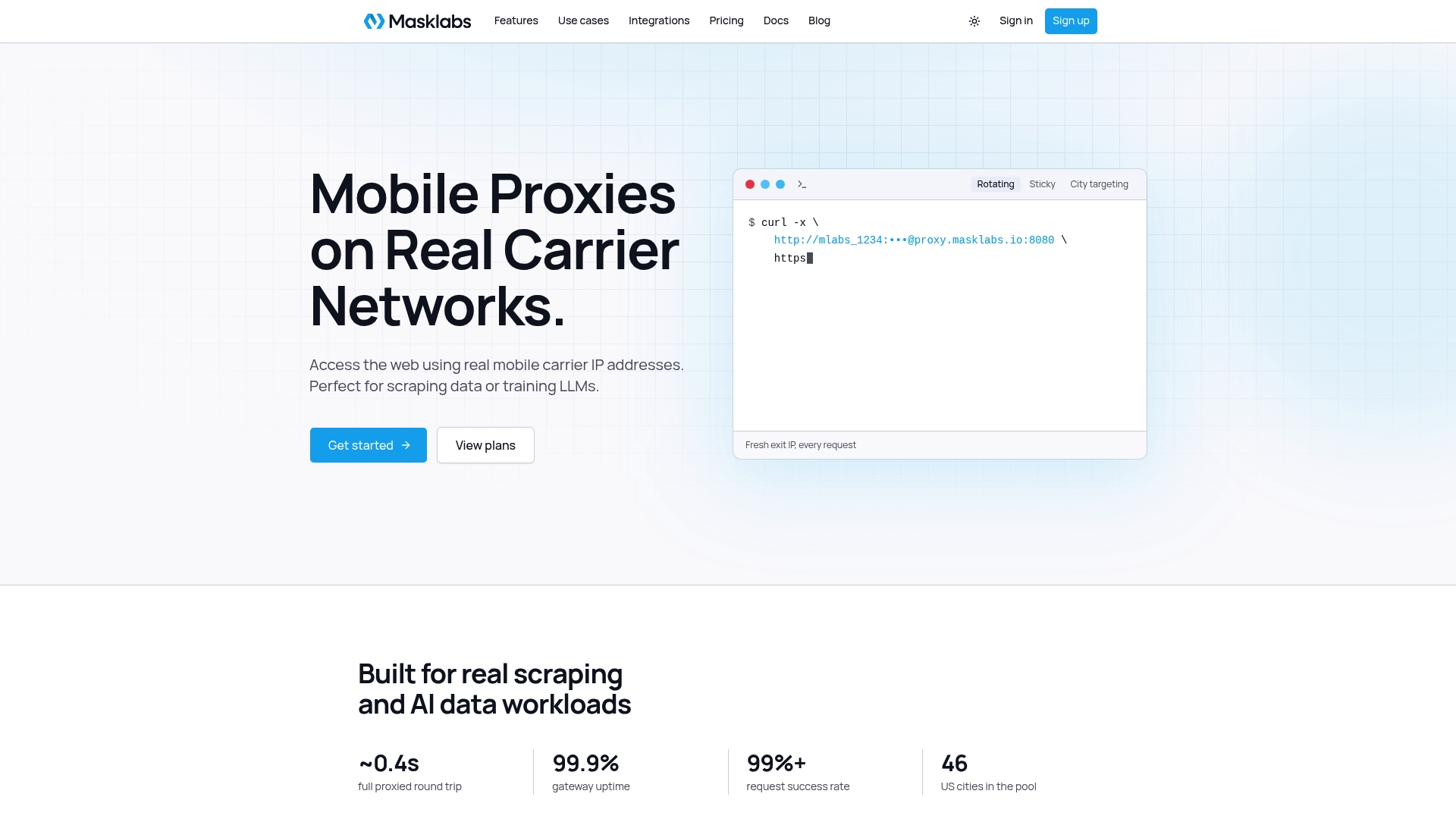
See the plans and pricing to pick a tier, or read about US mobile proxies on real carrier IPs first.
FAQ
How do I set a proxy in reqwest?
Create a reqwest::Proxy with Proxy::http, Proxy::https or Proxy::all, and pass it to Client::builder().proxy(...) before calling .build(). Add .basic_auth(user, pass) on the proxy if it needs credentials. Reuse the resulting client for all requests.
Does reqwest support SOCKS5 proxies?
Yes, once you enable the socks feature on the reqwest dependency in Cargo.toml. Then use a socks5:// URL, or socks5h:// when you want DNS resolved through the proxy. Without the feature, the builder returns an error for SOCKS URLs.
Does reqwest use the HTTP_PROXY environment variable?
Yes. By default reqwest reads HTTP_PROXY, HTTPS_PROXY and ALL_PROXY, in upper or lower case, and the protocol-specific ones win over ALL_PROXY. A proxy set on the ClientBuilder can overwrite them, so set it explicitly when you need consistent behavior across machines.
How do I skip the proxy for certain hosts?
Use .no_proxy(...) on the Proxy with a comma-separated list of domains and IPs, or return None from a Proxy::custom closure for those URLs. A domain entry also covers its subdomains.
Why does my proxy password fail even though it is correct?
Special characters in the password are the usual cause when credentials sit inside the proxy URL. URL-encode them, or pass the credentials through .basic_auth instead so you do not have to encode anything by hand.
Sources
- Proxy in reqwest - Rust
- reqwest - Rust
- reqwest proxy.rs source
- Proxy - The Goose Book
- A More Modular reqwest